Why Is My AC Cooling but Not Reaching the Thermostat Setting?
Why Is My AC Cooling but Not Reaching the Thermostat Setting?
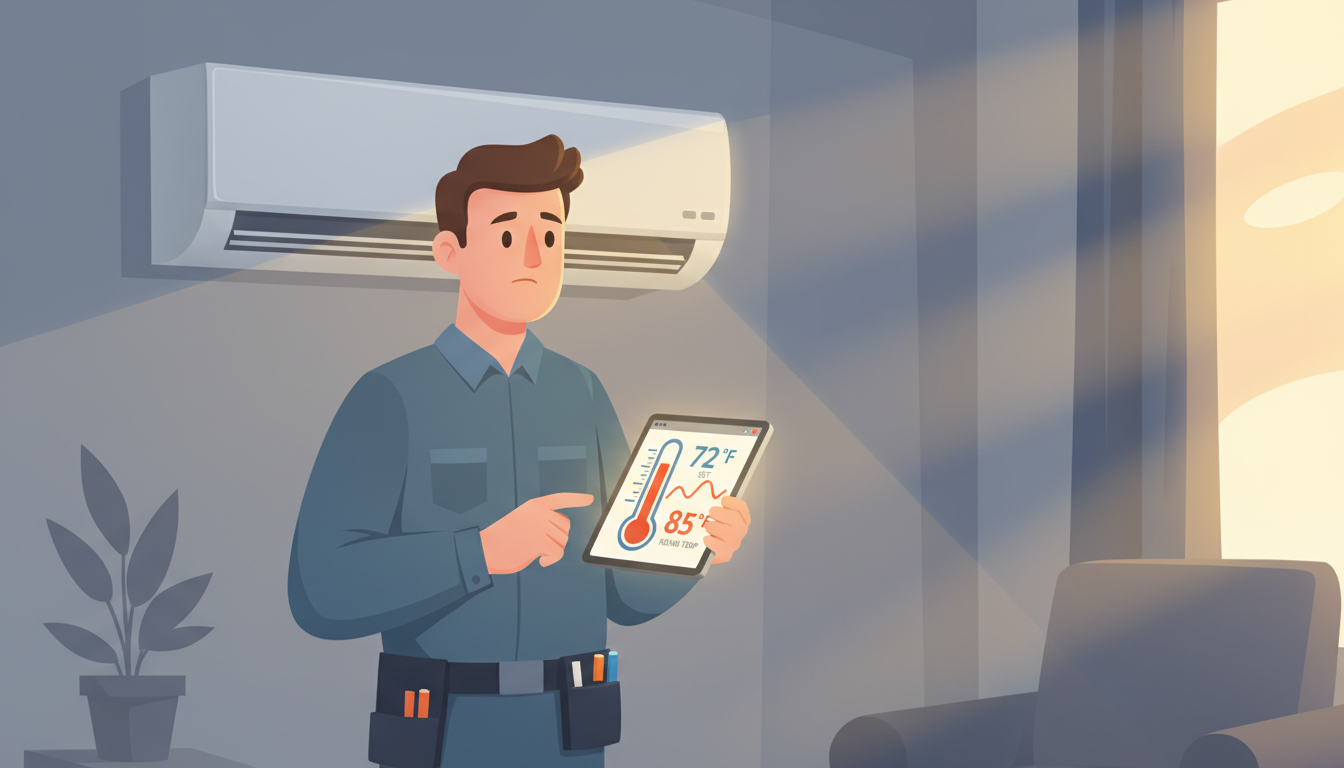
You set your thermostat to 72 degrees, but your house stubbornly stays at 78. Your AC is running—you can hear it and feel cold air blowing—but the temperature just won't budge. Sound familiar?
This frustrating problem is one of the most common HVAC complaints homeowners face, especially during hot summer months. The good news? Many causes have simple fixes you can tackle yourself. In this guide, we'll walk you through why your AC is cooling but not reaching the thermostat setting and what you can do about it.
Understanding the Problem: AC Cooling vs. Reaching Temperature
Before we dive into solutions, let's clarify what's happening. When your AC cooling but not reaching thermostat setting, it means your system is producing cold air, but it's not cooling your home enough to match your desired temperature. This is different from an AC that won't turn on at all or one that's blowing warm air.
The most common scenario: Your thermostat says "cooling," the vents blow cold air, but the indoor temperature stays 5-10 degrees above your setting. Your AC might run constantly without ever shutting off, or it might cycle on and off without making progress.
What's a Realistic Temperature Drop?
Here's something most HVAC companies won't tell you upfront: Your AC isn't designed to maintain any temperature you want, regardless of outdoor conditions. A properly sized residential AC system can typically cool your home 15-20 degrees below the outdoor temperature.
So if it's 100°F outside and your AC won't cool below 80°F, that might actually be normal performance—especially if your system is older or your home has insulation issues. Understanding realistic expectations helps you determine whether you have a fixable problem or need a system upgrade.
Quick DIY Fixes to Try First
Let's start with the easy solutions you can check right now. These account for about 60% of temperature-reaching problems and don't require any tools or technical knowledge.
1. Replace Your Air Filter
This is the #1 culprit. A clogged air filter restricts airflow, forcing your AC to work harder while cooling less effectively. When airflow drops by 20%, your cooling capacity can drop by 40%.
How to fix it:
- Locate your air filter (usually in the return air vent or inside the air handler)
- Check if it's gray, dusty, or difficult to see through
- Replace it with a new filter of the same size
- Set a reminder to check it monthly during cooling season
Most homes need a new filter every 1-3 months, but if you have pets or allergies, change it monthly. This $5 fix solves the problem surprisingly often.
2. Check Your Thermostat Settings
Before assuming there's a mechanical problem, verify your thermostat is set correctly.
Settings to check:
- Mode: Make sure it's on "Cool," not "Off" or "Heat"
- Fan setting: Should be on "Auto," not "On" (more on this below)
- Temperature: Ensure the setpoint is below the current room temperature
- Hold/Schedule: Check if a schedule or hold function is overriding your desired temperature
If you have a programmable or smart thermostat, it's easy for settings to change without you realizing it. Some thermostats also have energy-saving features that limit how cold your home can get during peak hours.
3. Clear Blocked Vents and Registers
Blocked vents reduce airflow and create uneven cooling. Your AC might be cooling some rooms fine while others stay warm, making it seem like the system isn't reaching temperature.
What to do:
- Walk through your home and check every supply vent (where cold air blows out)
- Remove furniture, curtains, or other items blocking vents
- Make sure all vents are open, not closed or partially closed
- Check return vents too—they need clear airflow to pull warm air back to the AC
A common mistake: Closing vents in unused rooms to "save energy." This actually makes your system less efficient and can prevent it from reaching the set temperature.
4. Give Your Outdoor Unit Some Space
Your outdoor condenser unit needs room to breathe. It expels heat from your home, but if it can't exhaust that heat effectively, your AC won't cool properly.
Check for:
- Plants, bushes, or grass within 2 feet of the unit
- Debris like leaves, grass clippings, or trash around the unit
- Dirt, mud, or dust caked on the condenser coils
- Items stored against or near the unit (bikes, lawn equipment, etc.)
Clear at least 2 feet of space around the unit on all sides. If the coils look dirty, you can gently spray them with a garden hose (while the unit is off). For heavy dirt buildup, consider professional coil cleaning.
Thermostat Problems That Prevent Temperature Reaching
Sometimes the issue isn't your AC at all—it's the thermostat giving bad information or failing to control the system properly.
5. Thermostat Placement Issues
Your thermostat measures temperature in one spot and assumes that represents your whole house. If it's in a bad location, it'll give false readings.
Common problem locations:
- Direct sunlight: If sun hits the thermostat through a window, it'll read warmer than your actual house temperature and won't call for enough cooling
- Near heat sources: Thermostats near lamps, TVs, ovens, or heat-generating appliances get artificially warm readings
- In dead air zones: Thermostats in corners, closets, or rooms with poor airflow don't represent your home's true temperature
- Near doors or vents: Direct drafts from doors or cold air from nearby vents skew readings
Quick test: Hold a separate thermometer near your thermostat for 10 minutes. If there's more than a 2-degree difference, placement might be your problem.
Unfortunately, relocating a thermostat requires an HVAC technician or electrician. In the meantime, you can work around it by adjusting your setpoint accordingly.
6. Thermostat Needs Calibration
Over time, thermostats can drift out of calibration, meaning they don't accurately measure temperature. Your thermostat might think it's 72°F when it's actually 76°F, so it stops cooling too early.
For mechanical thermostats: There's usually a small calibration screw or dial behind the cover. Use a separate accurate thermometer as your reference and adjust by small increments. Check your thermostat's manual for specific instructions.
For digital thermostats: Many can be recalibrated through the settings menu. Look for options like "temperature offset" or "calibration" in the settings. Some thermostats don't allow user calibration and need professional adjustment or replacement.
7. Dirty Thermostat Components
Dust, pet hair, and debris can accumulate inside your thermostat, affecting the temperature sensor or causing electrical issues.
How to clean it:
- Turn off power to your HVAC system at the breaker
- Remove the thermostat cover
- Use compressed air or a soft brush to gently clean inside
- Don't touch any wires or electronic components
- Replace the cover and restore power
This is especially common with older mechanical thermostats that have exposed components. Digital thermostats are more sealed but can still accumulate dust over years.
8. Faulty Wiring or Loose Connections
Thermostat wiring problems can cause inconsistent operation. The AC might run but not respond properly to temperature changes.
Warning signs:
- Thermostat display is dim or flickering
- System turns on and off randomly
- Thermostat becomes unresponsive or freezes
- You recently had thermostat work done
If you're comfortable working with low-voltage wiring, you can turn off power and check that all wire connections at the thermostat are tight. Look for corroded or damaged wires. However, if you're unsure, this is a job for a professional. Incorrect wiring can damage your equipment.
AC System Issues That Prevent Reaching Set Temperature
If you've checked all the simple fixes and your thermostat seems fine, the problem likely lies with your AC system itself.
9. Low Refrigerant Levels
Refrigerant is the chemical that actually removes heat from your air. When levels are low (usually from a leak), your AC can't cool effectively. You'll notice cold air coming out, but not cold enough to reach your desired temperature.
Signs of low refrigerant:
- Ice buildup on the indoor evaporator coil or refrigerant lines
- Hissing or bubbling sounds near AC components
- AC runs constantly but barely cools
- Higher than normal energy bills
- Warm air coming from vents despite system running
Important: Refrigerant doesn't get "used up" like gas in a car. If it's low, you have a leak. Simply adding more refrigerant without fixing the leak is a temporary solution that'll cost you repeatedly. A professional needs to find and repair the leak, then recharge the system to proper levels.
This is the most common professional-level repair needed when an AC won't reach temperature. For guidance on AC repairs, check out our comprehensive HVAC repair guide.
10. Dirty Evaporator or Condenser Coils
Your AC has two sets of coils: evaporator coils inside that absorb heat, and condenser coils outside that release it. When either gets dirty, heat transfer drops dramatically.
Dirty evaporator coils (inside unit):
- Reduce cooling capacity by up to 30%
- Often accompanied by ice buildup
- Usually require professional cleaning since they're inside the air handler
- Should be cleaned during annual maintenance
Dirty condenser coils (outside unit):
- Block heat from escaping your home
- Make the compressor work harder and less efficiently
- Can be partially cleaned with a garden hose (unit off, spray from inside-out)
- Professional cleaning is more thorough and recommended annually
If your system is more than a year past its last professional maintenance, dirty coils are highly likely. This is especially true if you live in a dusty area or have pets.
11. Ductwork Problems
Your ducts are the highway system for conditioned air. If they're leaky or poorly insulated, cold air escapes before reaching your rooms.
Common duct issues:
- Leaks at connections: Can lose 20-30% of cooled air before it reaches your living space
- Poor insulation: Ducts in hot attics or crawl spaces lose cooling to heat transfer
- Crushed or disconnected ducts: Completely blocks airflow to certain areas
- Wrong size ducts: Improperly designed ductwork reduces system efficiency
Signs you might have duct problems:
- Some rooms are significantly warmer than others
- You see visible gaps or separation in accessible ductwork
- Excessive dust in your home
- High energy bills with poor cooling performance
Sealing ductwork is a professional job that often requires accessing difficult areas. However, you can seal visible accessible ducts with mastic sealant (not duct tape, despite the name—it doesn't last).
12. Undersized AC System
This is the most frustrating diagnosis: Your AC isn't powerful enough for your home. It'll run constantly on hot days but never quite reach your desired temperature.
You might have an undersized system if:
- The problem only occurs on very hot days (90°F+)
- Your AC runs non-stop without reaching temperature
- The system is more than 15 years old (when homes were often undersized)
- You've added square footage or improved insulation without upgrading AC
- Previous owner installed the cheapest/smallest unit available
HVAC systems are sized by BTU (cooling capacity). A properly sized system for your home depends on square footage, insulation, ceiling height, windows, and local climate. An HVAC load calculation determines the right size.
Unfortunately, the only fix for an undersized system is replacement. The good news: Modern AC units are much more efficient, so even though you'll buy a larger capacity, your energy bills often stay similar or decrease.
13. Inefficient or Aging Equipment
Even if your AC is the right size, age and wear reduce its effectiveness. A 15-year-old system might produce 70% of its original cooling capacity, meaning it can't cool as well as when it was new.
Age-related efficiency loss includes:
- Worn compressor that can't pressurize refrigerant properly
- Degraded insulation in refrigerant lines
- Slower fan motors with reduced airflow
- Accumulation of internal debris and wear
- Outdated technology compared to modern standards
If your system is 12-15+ years old and struggling to reach temperature, it's probably nearing the end of its useful life. Repairs become more frequent and expensive, and replacement often makes more financial sense. Modern systems cool better while using 30-50% less energy.
14. Short Cycling Problems
Short cycling means your AC turns on, runs for a few minutes, then shuts off before completing a full cooling cycle. It never runs long enough to reach your set temperature.
Common causes of short cycling:
- Oversized AC (ironic—both too small AND too big cause problems)
- Refrigerant issues
- Faulty thermostat
- Dirty air filters or coils
- Electrical problems
Short cycling wears out your equipment faster and wastes energy. The compressor experiences the most stress during startup, so frequent on-off cycles cause premature failure. If your AC cycles more than 2-3 times per hour, you need professional diagnosis.
15. Incorrect Fan Settings
This is a subtle issue many homeowners don't realize exists. Your thermostat fan setting makes a big difference in cooling effectiveness.
Auto setting: The fan only runs when the AC is actively cooling. This is the correct setting for most situations. When the AC shuts off, the fan stops too, preventing unconditioned air from circulating.
On setting: The fan runs continuously, even when the AC isn't cooling. This sounds good for air circulation, but it actually has major drawbacks:
- Humidity from the evaporator coil gets blown back into your home instead of draining away
- Your house feels muggy and uncomfortable even at the right temperature
- Energy waste from constantly running the fan
- False readings on your thermostat from constant air movement
If your fan is set to "On" instead of "Auto," switch it and see if your comfort improves. The constant air movement might make it feel like the temperature never reaches setpoint, even though it technically does.
When to Call a Professional
Some problems require professional diagnosis and repair. Call an HVAC technician if:
- You've tried all the DIY fixes above without improvement
- You see ice buildup on your indoor or outdoor unit
- You hear unusual sounds (grinding, squealing, banging)
- Your AC is more than 10 years old and increasingly unreliable
- Energy bills have spiked without explanation
- The problem started after a storm or power outage
- You smell burning or notice electrical issues
For issues specifically related to your thermostat not triggering cooling, our guide on when your thermostat says cooling but nothing happens can help you diagnose the problem.
Professional HVAC technicians have tools and training to:
- Accurately measure refrigerant levels and detect leaks
- Test electrical components and diagnose control board issues
- Perform comprehensive system performance analysis
- Safely handle refrigerant and electrical components
- Provide repair vs. replacement recommendations
Don't wait until a small problem becomes a major failure. A system that struggles to reach temperature is working much harder than it should, increasing wear and the risk of complete breakdown—usually during the hottest day of summer.
Preventing Future Temperature Problems
Once you've fixed your current issue, a few simple habits keep your AC cooling effectively:
Monthly tasks:
- Check and replace air filters as needed
- Visually inspect outdoor unit for debris or obstructions
- Listen for unusual sounds when system runs
Seasonal tasks (spring and fall):
- Schedule professional maintenance before cooling season
- Clean outdoor coils with gentle water spray
- Test thermostat accuracy with a separate thermometer
- Verify all vents are open and unobstructed
Annual professional maintenance includes:
- Refrigerant level check and adjustment
- Electrical connection inspection and tightening
- Condenser and evaporator coil cleaning
- Blower motor and fan inspection
- Thermostat calibration check
- Full system performance test
Regular maintenance prevents most temperature-reaching problems and extends your equipment's lifespan by years. The $100-150 annual maintenance cost is far less than a $500+ emergency repair or premature system replacement.
FAQ: AC Not Reaching Temperature
How long should my AC run to reach the set temperature?
A properly sized AC should reach your set temperature within 15-20 minutes on a moderate day (80-85°F outside). On extremely hot days (95°F+), it might take 30-45 minutes or run continuously to maintain temperature. If your AC runs for hours without reaching setpoint on moderate days, you have a problem.
Why won't my AC cool below 75 degrees?
If your AC won't cool below a certain temperature, common causes include low refrigerant, undersized system, poor insulation, or an aging unit that's lost efficiency. On very hot days (100°F+), a temperature floor of 75-80°F might be your system's maximum capacity. Test the problem on a cooler day to see if it's heat-related or a system issue.
Is it normal for my AC to run constantly in summer?
On the hottest days of the year, it's normal for an AC to run continuously or with very short breaks to maintain temperature. However, it should still actually reach and maintain your set temperature. If it runs constantly AND doesn't reach temperature, the system is undersized or has a mechanical problem.
Can a dirty filter really prevent my AC from reaching temperature?
Absolutely. A severely clogged filter can reduce airflow by 50% or more, cutting your cooling capacity nearly in half. This is one of the most common causes of AC temperature problems, and also the easiest and cheapest to fix. Always check your filter first.
Should I set my thermostat fan to "on" or "auto"?
Use "auto" for most efficient cooling. The "on" setting runs your fan continuously, which can make your home feel humid and uncomfortable even at the right temperature, and it wastes energy. Only use "on" if you need constant air circulation for air quality reasons, and be aware it may affect comfort.
Take Action on Your AC Temperature Problem
An AC that's cooling but not reaching the thermostat setting is frustrating, but now you know the most common causes and solutions. Start with the quick DIY fixes—replace your filter, check thermostat settings, and clear blocked vents. These solve the problem more often than you'd think.
If the simple fixes don't work, it's time to call a professional for diagnosis. Issues like low refrigerant, dirty coils, or ductwork problems require specialized tools and training. Don't let a small problem turn into a complete system failure.
The good news? Nearly every cause of this problem has a solution. Whether it's a $5 filter or professional maintenance, getting your AC to reach the desired temperature will make your home comfortable and save energy. Your AC shouldn't have to work constantly—fix the underlying issue and enjoy reliable cooling all summer long.
Need more help with your HVAC system? Check out our complete HVAC repair guide for troubleshooting tips on all common air conditioning problems.