What Causes a Blower Motor to Overheat? 7 Common Reasons (And How to Fix Them)
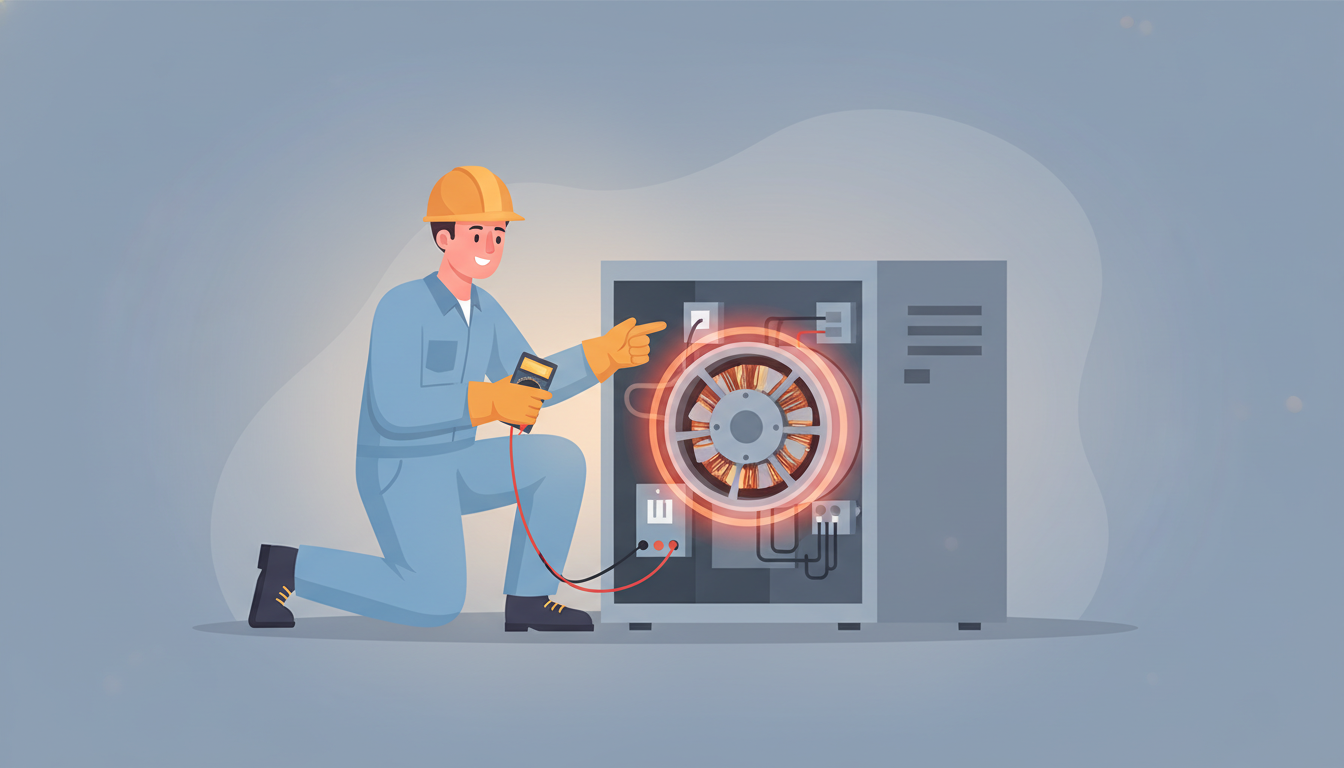
What Causes a Blower Motor to Overheat? 7 Common Reasons (And How to Fix Them)
Is your furnace or AC blowing hot air that smells like burning plastic? Does your HVAC system keep shutting off unexpectedly? You might be dealing with a blower motor overheating issue—and if left unchecked, it could lead to costly repairs or even total system failure.
A blower motor is the workhorse of your HVAC system, circulating air throughout your home 24/7. When it overheats, your comfort and safety are at risk. In this guide, we'll walk you through the seven most common causes of blower motor overheating, how to spot the warning signs, and what you can do to prevent it from happening again.
Understanding Your Blower Motor and How It Works
Before we dive into the causes, let's quickly understand what your blower motor does. The blower motor is responsible for pushing heated or cooled air through your ductwork and into your living spaces. It runs constantly when your system is on, which means it generates significant heat during normal operation.
Most blower motors are designed to handle ambient temperatures between 60°C and 80°C (140°F to 176°F). The motor shell typically runs 30 to 60 degrees warmer than the surrounding air temperature. When temperatures exceed these normal ranges, the motor's thermal overload protection kicks in, shutting down the system to prevent permanent damage.
Warning Signs Your Blower Motor Is Overheating
Catching blower motor overheating early can save you from expensive repairs. Here are the telltale signs:
Burning Smell from Your Vents
If you notice a burning odor coming from your vents—especially one that smells like burning plastic, rubber, or electrical components—your motor is likely running too hot. This smell occurs when dust burns off the motor or when internal components start to degrade from excessive heat.
Loud Humming or Buzzing Noises
An overheating blower motor often produces a loud, continuous humming sound. This happens when the motor has power to start but something prevents it from operating smoothly, generating excessive heat and that characteristic noise.
Frequent System Shutdowns
Does your furnace or AC keep shutting off and requiring a reset? This is your thermal overload protection doing its job. When the motor temperature gets too high, the system automatically shuts down to prevent motor burnout. If you're constantly hitting the reset button, you have an overheating problem.
Weak or No Airflow
When your blower motor struggles due to overheating, you'll notice significantly reduced airflow from your vents—or no airflow at all. This is often accompanied by longer run times as your system works harder to reach the desired temperature.
7 Common Causes of Blower Motor Overheating
Now let's explore the specific reasons why your blower motor might be running too hot.
1. Dirty or Clogged Air Filters
This is the #1 cause of blower motor overheating—and the easiest to fix. When your air filter becomes clogged with dust, pet hair, and debris, it restricts airflow through your system. Your blower motor has to work significantly harder to pull air through the blocked filter, causing it to overheat.
The fix: Check your air filter monthly and replace it every 1-3 months depending on usage. If you have pets, allergies, or run your system frequently, change filters monthly. A clean filter allows proper airflow and prevents your motor from overworking.
Standard 1-inch filters should be changed monthly, while thicker 4-inch pleated filters can last up to 3 months. Mark your calendar as a reminder—this simple maintenance task can prevent major problems.
2. Dust and Dirt Buildup on the Motor
Even with good filters, dust eventually accumulates directly on the blower motor housing and internal components. This layer of grime acts like insulation, preventing the motor from properly venting heat. The result is excessive heat buildup that can't dissipate naturally.
When dust coats the motor windings and fans, it blocks heat dissipation paths that are critical for cooling. Over time, this leads to thermal overload failures and shortened motor life.
The fix: Schedule annual professional HVAC maintenance that includes cleaning the blower assembly. A technician will vacuum and wipe down the motor, wheel, and housing. This service typically costs between $80-150 but prevents much more expensive motor replacements.
For proactive homeowners, you can visually inspect your blower motor by turning off power to your HVAC unit and removing the access panel. If you see heavy dust accumulation, it's time for professional cleaning.
3. Capacitor Problems
The capacitor is like a battery that gives your blower motor the electrical boost it needs to start and run efficiently. When a capacitor fails or is the wrong size for your motor, it causes the motor to draw excessive amperage, generating dangerous levels of heat.
Both weak capacitors (ones that are failing) and oversized capacitors can cause overheating. A failing capacitor can't provide enough starting power, making the motor struggle and overheat. An oversized capacitor delivers too much power, also causing overheating issues.
The fix: Have an HVAC technician test your capacitor with a multimeter. Capacitors are inexpensive components ($10-40), but installation requires professional expertise due to the high voltage they store. A capacitor replacement typically takes 30 minutes and prevents motor damage that would cost hundreds more.
Signs your capacitor is failing include: difficulty starting, humming without running, random shutdowns, and higher-than-normal energy bills.
4. Restricted Airflow from Blocked Vents and Registers
Closed or blocked supply vents and return air registers force your blower motor to work against increased resistance. Many homeowners mistakenly close vents in unused rooms thinking it saves energy, but this actually creates back pressure that makes your motor work harder and run hotter.
Furniture, curtains, or rugs covering vents have the same effect. Your system is designed to circulate a specific volume of air—when that air can't flow freely, pressure builds up and motor temperatures rise.
The fix: Walk through your home and ensure all supply and return vents are open and unobstructed. Move furniture at least 6-12 inches away from vents. Even if you don't use certain rooms, keep vents at least partially open (75-100%) to maintain proper system airflow.
As a general rule, never close more than 20% of your home's vents. For more information about maintaining proper airflow, check out our guide on weak airflow from HVAC vents.
5. Worn or Failed Motor Bearings
Blower motors rely on bearings to spin smoothly with minimal friction. Over time, these bearings wear out, especially if they haven't been properly lubricated. Worn bearings create friction and resistance, forcing the motor to work harder and generate excessive heat.
You can often hear bearing problems before they cause complete failure. Listen for grinding, squealing, or scraping sounds coming from your blower unit. These noises indicate metal-on-metal contact from degraded bearings.
The fix: Some older blower motors have oil ports that allow for periodic lubrication. If your motor has these ports (usually covered with small rubber or plastic caps), add 2-3 drops of electric motor oil annually. However, most modern motors have sealed bearings that can't be lubricated.
If your bearings are worn and making noise, motor replacement is usually necessary. This typically costs $250-600 depending on your system. The good news is that newer motors are more efficient, which can lower your energy bills.
6. Electrical Issues: Voltage and Wiring Problems
Blower motors need proper voltage to run efficiently. When voltage is too low (under-voltage) or too high (over-voltage), the motor compensates by drawing more current, which generates excessive heat. Even a 10% voltage variation can cause significant overheating.
Loose electrical connections, corroded wiring, or improper installations can all create voltage problems. Additionally, if your home experiences frequent voltage fluctuations or brownouts, your motor bears the brunt of this electrical instability.
The fix: An HVAC technician should check motor voltage while the system is running (under load). They'll compare the reading to the motor's nameplate specifications. If voltage is outside the acceptable range (usually within 10% of rated voltage), an electrician may need to address broader electrical issues in your home.
The technician should also inspect all wire connections at the motor, capacitor, and control board for tightness and corrosion. Cleaning and tightening connections can resolve many electrical overheating issues.
7. Old Age and Normal Wear
Sometimes, blower motor overheating simply indicates that your motor has reached the end of its service life. Most blower motors last 10-20 years, depending on usage and maintenance. As motors age, internal components degrade, insulation breaks down, and efficiency drops—all of which contribute to overheating.
If your HVAC system is 15+ years old and experiencing overheating issues, replacement might be more cost-effective than repeated repairs. An aging motor that overheats once will likely overheat again, even after repairs.
The fix: Consider the age of your entire HVAC system. If your furnace or AC unit is over 15 years old, investing in a new motor might not make financial sense. A complete system replacement offers improved efficiency, reliability, and often pays for itself through lower energy bills within 5-10 years.
For more information on diagnosing blower motor problems, read our article on common blower motor issues.
Additional Causes of Motor Overheating
Beyond the seven primary causes, several other factors can contribute to blower motor temperature problems:
High Condensing Temperature
For AC systems, when the outdoor condensing unit runs too hot, it affects the entire system including the blower motor. Causes include dirty condenser coils, refrigerant overcharge, or direct sun exposure without shade. The motor works harder to compensate, generating more heat.
Undersized HVAC System
If your HVAC unit is too small for your home's square footage, the blower motor runs continuously trying to meet heating or cooling demands. This constant operation without proper rest cycles causes chronic overheating and premature motor failure.
Poor Installation or Ventilation
Motors installed in cramped spaces without adequate ventilation can't dissipate heat effectively. Similarly, ductwork that's too small or poorly designed increases resistance, forcing the motor to work harder and run hotter than designed.
Thermostat Problems
A malfunctioning thermostat can cause short-cycling (frequent on-off cycles) or make the motor run continuously. Both scenarios generate excessive heat and wear out motor components faster than normal operation.
How Hot Is Too Hot for a Blower Motor?
Many homeowners ask: "What temperature should my blower motor run at?" As mentioned earlier, most blower motors are rated for ambient temperatures of 60-80°C (140-176°F). The motor housing will typically feel warm to the touch but shouldn't be so hot that you can't hold your hand on it for more than a second or two.
If your motor is too hot to touch for even a moment, it's running too hot. At this point, thermal damage may already be occurring to the motor windings and internal components.
Professional HVAC technicians use thermal imaging cameras and infrared thermometers to measure exact motor temperatures during operation. This allows them to compare your motor's temperature to manufacturer specifications and identify overheating before catastrophic failure occurs.
Can You Run Your HVAC System with an Overheating Motor?
No, you should not continue running your system if the blower motor is overheating. Continuing to operate an overheating motor can lead to:
- Complete motor burnout requiring expensive replacement ($250-$800)
- Damage to other system components like the control board or wiring
- Potential fire hazards from electrical failures
- Voided warranties if damage results from neglect
If your system shuts down due to thermal overload, let it cool for at least 30 minutes before resetting. If it shuts down again after restarting, turn off your system and call an HVAC professional. The thermal protection is saving your motor from permanent damage—respect that warning.
DIY Troubleshooting: What You Can Check Yourself
Before calling a professional, try these simple checks:
- Replace your air filter - This solves the problem 40-50% of the time
- Check all vents - Ensure they're open and unobstructed
- Listen for unusual noises - Grinding or squealing indicates bearing problems
- Inspect the area around your HVAC unit - Ensure proper clearance and ventilation
- Reset the system - Turn off power for 30 minutes, then restart
If these simple steps don't resolve the issue, it's time to call a professional. For comprehensive HVAC troubleshooting guidance, visit our HVAC repair guide.
When to Call a Professional
Contact an HVAC technician immediately if you experience:
- Burning smells that persist after filter replacement
- Visible smoke or sparks from your HVAC unit
- System shutdowns that happen repeatedly even after cooling
- No airflow despite the system running
- Electrical burning smells or tripped circuit breakers
These symptoms indicate serious electrical or mechanical failures that require professional diagnosis and repair. Attempting DIY fixes on electrical components can be dangerous and may void your equipment warranty.
Preventing Blower Motor Overheating: Maintenance Tips
Prevention is always cheaper than repair. Follow these maintenance practices to keep your blower motor running cool:
Monthly Tasks:
- Check and replace air filters (every 1-3 months)
- Ensure all vents and registers remain open and unobstructed
- Listen for unusual sounds during operation
Seasonal Tasks:
- Schedule professional HVAC maintenance twice yearly (spring and fall)
- Clean around outdoor condensing unit, removing debris and vegetation
- Test system operation before heating and cooling seasons begin
Annual Tasks:
- Professional inspection of blower motor, bearings, and electrical connections
- Ductwork inspection for leaks and proper sizing
- Thermostat calibration check
Annual professional maintenance costs $80-150 but can extend your motor's life by 5-10 years and improve energy efficiency by 10-15%. That's a small investment that pays substantial dividends.
Blower Motor Replacement: Costs and Considerations
If your blower motor can't be repaired, replacement costs typically range from $250 to $800, depending on:
- Motor size and type (PSC vs. ECM motors)
- Accessibility of your blower compartment
- Labor rates in your area
- Whether other components need replacement simultaneously
ECM (electronically commutated motor) motors cost more upfront ($400-800) but use 60-75% less electricity than standard PSC (permanent split capacitor) motors. If you're replacing a motor anyway, upgrading to an ECM motor can save $50-150 annually on energy bills.
Get multiple quotes from licensed HVAC contractors. Reputable companies will:
- Provide written estimates
- Explain exactly what's wrong and why replacement is necessary
- Offer warranty coverage on parts and labor
- Show you the failed components if requested
Frequently Asked Questions About Blower Motor Overheating
How long does a blower motor last?
Most blower motors last 10-20 years with proper maintenance. ECM motors tend to last longer than traditional PSC motors. Regular maintenance, clean filters, and proper airflow can help your motor reach or exceed its expected lifespan.
Can a bad blower motor cause high electric bills?
Yes, absolutely. An overheating or failing motor draws more amperage than normal, increasing electricity consumption. You might see your energy bills increase 20-40% when your motor struggles due to overheating issues.
What's the difference between a furnace blower motor and an AC blower motor?
They're typically the same motor. Your HVAC system uses one blower motor to circulate both heated air (from your furnace) and cooled air (from your AC coil). This is why the motor runs year-round and why proper maintenance is critical.
Will a blower motor reset itself?
Yes, most modern blower motors have automatic thermal overload protection that resets once the motor cools down (usually 30-60 minutes). However, if the underlying cause isn't fixed, the motor will overheat and shut down again. Repeated thermal overloads shorten motor life significantly.
Can I replace a blower motor myself?
While possible for experienced DIYers, blower motor replacement involves electrical work, proper motor sizing, and calibration. Improper installation can damage your new motor or create safety hazards. Unless you have HVAC experience, professional installation is recommended to ensure warranty coverage and safe operation.
Conclusion: Don't Ignore an Overheating Blower Motor
Blower motor overheating is a serious issue that won't resolve itself. Whether caused by dirty filters, failing capacitors, worn bearings, or electrical problems, an overheating motor will eventually fail completely if not addressed.
The good news? Most causes of motor overheating are preventable with simple maintenance. Start by replacing your air filter regularly, keeping vents open, and scheduling annual professional inspections. These small steps can prevent the inconvenience and expense of emergency repairs.
If your blower motor is currently overheating, don't wait. The longer you delay, the more damage occurs and the higher your repair costs will climb. Contact a licensed HVAC professional today to diagnose and resolve the issue before minor problems become major failures.
Remember: your comfort and safety depend on a properly functioning HVAC system. Give your blower motor the attention it deserves, and it will keep your home comfortable for many years to come.
Need professional help with your overheating blower motor? Visit our HVAC repair guide to learn more about finding qualified technicians in your area and what to expect from professional service.