
What to Photograph and Document During an HVAC Emergency
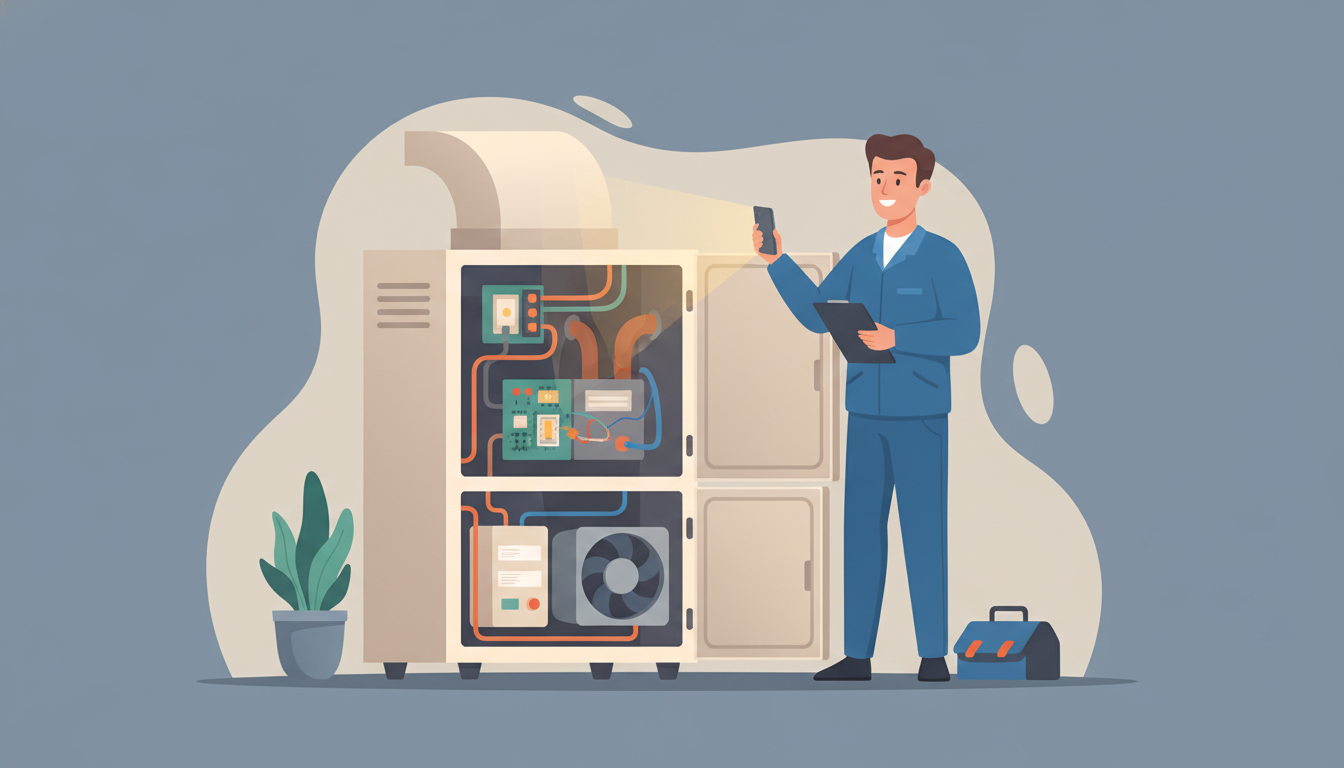
What to Photograph and Document During an HVAC Emergency
When your heating or cooling system fails unexpectedly, your first instinct is probably to call for help. But before you pick up the phone, there's something crucial you need to do: document everything. Taking the right photos and notes during an HVAC emergency can save you thousands of dollars on insurance claims, speed up repairs, and protect you from disputes down the line.
Most homeowners don't realize that proper documentation can be the difference between a smooth insurance claim and a denied one. Whether you're dealing with a flooded basement from a broken AC unit or a furnace that's stopped working in freezing weather, knowing what to photograph during an HVAC emergency is essential knowledge every homeowner needs.
Why HVAC Emergency Documentation Matters
Before we dive into the specifics, let's talk about why this matters. When you document HVAC problems properly, you create a timeline and evidence trail that serves multiple purposes.
First, it helps your HVAC technician diagnose the issue faster. When you can show them exactly what happened, when it happened, and what the system looked like at the time, they don't have to waste time troubleshooting. This means faster repairs and lower labor costs.
Second, photographic evidence is critical for insurance claims. Many HVAC emergencies cause secondary damage—water leaks flood basements, frozen pipes burst, electrical issues damage other systems. Your insurance company will want proof of what happened and when. Without photos, you're relying on your word against their adjuster's assessment.
Third, documentation protects you in warranty disputes. If your system is under warranty and the manufacturer or installer claims the damage was your fault, your photos can prove otherwise.
What to Photograph Before Touching Anything
The golden rule of HVAC emergency documentation is this: take photos BEFORE you do anything else. Don't turn off the system, don't mop up water, don't adjust settings. Document first, act second.
The HVAC Unit Itself
Start with wide shots of the entire unit from multiple angles. If you have a furnace, photograph it from the front, both sides, and if accessible, the back. For central AC systems, photograph both the indoor air handler and the outdoor condenser unit.
Get close-up shots of any visible damage. Look for:
- Rust or corrosion on metal components
- Scorch marks or discoloration indicating overheating
- Cracks in the heat exchanger or housing
- Leaking refrigerant (often appears as oil stains)
- Ice buildup on coils or refrigerant lines
- Broken or disconnected wires
- Damaged or missing insulation
Water Damage Documentation
Water leaks are among the most common HVAC emergencies. If you're dealing with water damage, documentation becomes even more critical.
Photograph the source of the leak from multiple angles. Is water coming from the drain pan? The condensate line? A cracked pipe? Get clear shots showing where the water originates.
Next, document the extent of the water spread. Take wide shots showing how far the water has traveled. Include photos of:
- Puddles or standing water on floors
- Water stains on walls, ceilings, or baseboards
- Wet insulation or ductwork
- Damaged flooring, carpet, or furniture
- Any belongings affected by the water
Place a ruler or measuring tape in at least one photo to show water depth. This provides scale and helps insurance adjusters assess damage severity.
Critical System Information
This is where many homeowners make a mistake. They photograph the obvious damage but forget to document the system identification details that insurance companies and warranty providers need.
Photograph the data plate on your HVAC unit. This metal plate contains:
- Manufacturer name and model number
- Serial number
- Installation date (sometimes)
- Electrical specifications
- Refrigerant type and capacity
Take a clear, well-lit photo where all the text is readable. If the lighting is poor, use your phone's flashlight. Blurry photos of model numbers are worthless when filing claims.
Thermostat Settings and Error Codes
Before you adjust anything, photograph your thermostat display. Capture:
- Current temperature reading
- Set temperature
- System mode (heat, cool, auto, off)
- Fan setting
- Any error codes or warning messages displayed
Modern thermostats often display diagnostic codes that give technicians immediate insight into what's wrong. These codes disappear when you turn the system off or reset it, so capturing them in a photo is invaluable.
If your system has a control panel with indicator lights or digital displays, photograph those too. Note which lights are on, flashing, or off.
Document the Surrounding Area and Conditions
Your HVAC system doesn't exist in isolation. The surrounding environment often provides crucial context for what went wrong.
The Installation Area
Photograph the space around your HVAC equipment. If it's in a basement, utility room, or attic, take wide shots showing:
- Clearance around the unit (or lack thereof)
- Storage items stacked near the equipment
- Ventilation conditions
- Signs of poor maintenance access
- Evidence of previous repairs or modifications
These photos can prove whether installation or maintenance access was adequate, which matters for warranty claims and liability questions.
Electrical Components
HVAC emergencies often involve electrical issues. If you suspect electrical problems—burning smells, tripped breakers, sparking, or power failures—document the electrical system carefully.
Safety first: Do NOT photograph electrical components if you see active sparking, smell burning plastic, or notice melted wiring. Turn off power at the breaker and evacuate if necessary.
For safe-to-photograph electrical issues, capture:
- Your electrical panel showing which breakers are tripped
- The specific breaker controlling your HVAC system
- The disconnect box near your outdoor unit
- Visible wiring damage or discoloration
- Burned or melted components
Environmental Factors
Sometimes the emergency isn't caused by your HVAC system—it's caused TO your system by external factors. Document environmental conditions:
- Storm damage to outdoor units (hail dents, fallen branches, debris)
- Flooding from external sources affecting basement equipment
- Extreme weather conditions (use your phone's weather app screenshot)
- Pest damage (rodent nests in equipment, chewed wires)
- Structural issues (roof leaks dripping on equipment, foundation cracks)
What to Video During an HVAC Emergency
While photos capture static damage, videos excel at documenting active problems. If your HVAC system is making unusual noises, leaking actively, or showing other dynamic symptoms, record a video.
When Video Is Essential
Use video documentation for:
Unusual sounds: Record grinding, squealing, banging, or clicking noises. Position your phone close enough to capture the sound clearly, but far enough to show which component is making it.
Active leaks: A video showing water actively dripping or spraying provides better context than still photos. Show the leak source and where the water is going.
Intermittent problems: If the issue comes and goes, video helps capture it when it's happening. Many HVAC problems are intermittent and hard to demonstrate after the fact.
Smoke or steam: If your system is producing visible smoke or steam (and it's safe to remain nearby), video captures this better than photos.
Keep videos short and focused—30 to 60 seconds is usually sufficient. Narrate what you're seeing: "This is water leaking from the furnace drain pan" or "This grinding sound started this morning."
Create a Written Record Alongside Photos
Photos tell part of the story, but written documentation completes it. Create a simple written record that includes:
Timeline of events: Note when you first noticed the problem, when symptoms worsened, and when you took action. Example: "3:15 PM - Noticed house wasn't warming up. 3:30 PM - Checked thermostat, found error code E3. 3:45 PM - Went to basement, found water under furnace."
Symptoms checklist: List everything you've observed:
- Strange smells (burning, musty, chemical)
- Temperature readings (house temp vs. thermostat setting)
- System behavior (running constantly, short cycling, not starting)
- Recent changes (power outages, filter changes, weather events)
Actions you've taken: Document every step you've taken before the technician arrives:
- Turned off system at thermostat
- Shut off power at breaker
- Placed towels to contain water leak
- Moved belongings away from water damage
- Changed air filter (if you did this)
This written record, combined with your photos, creates a complete picture that's incredibly valuable for technicians and insurers.
How to Organize Your Emergency Documentation
Taking photos is only half the battle. You need to organize them so they're useful when you need them.
Immediate Organization
As soon as you've documented the emergency, create a dedicated folder on your phone labeled with the date and issue: "2026-03-20 Furnace Water Leak" for example.
Move all related photos and videos into this folder immediately. Don't wait—you'll forget which photos go with which incident if you have multiple HVAC issues over time.
Backup Your Documentation
Your phone could fail, get lost, or malfunction. Back up your emergency documentation immediately:
- Email the photos to yourself with a descriptive subject line
- Upload to cloud storage (Google Drive, Dropbox, iCloud)
- Text the most important photos to a family member
- If you have a computer handy, transfer them there
Insurance claims can take weeks or months. You need these photos to remain accessible.
Create a Summary Document
Within 24 hours of the emergency, while details are fresh, create a summary document that includes:
- Date and time of emergency
- Brief description of what happened
- List of photos taken (you can reference them by number or description)
- Names of anyone you contacted (HVAC company, insurance agent)
- Estimated costs mentioned by technicians
- Any immediate repairs authorized
Save this document with your photos. When you file an insurance claim weeks later, this summary refreshes your memory and ensures you don't miss important details.
Special Documentation for Different Emergency Types
Different HVAC emergencies require slightly different documentation approaches. Here's what to focus on for common scenarios.
Heating System Failures in Winter
When your furnace quits during cold weather, focus on:
- Indoor temperature readings over time (take photos of thermostat every few hours)
- Any frozen pipes or ice buildup resulting from heat loss
- Emergency heating measures you're using (space heaters, fireplaces)
- Vulnerable household members affected (elderly family, young children, pets)
These details matter because heating emergencies can constitute uninhabitable living conditions, which affects insurance coverage and emergency service priority.
AC Failures During Heat Waves
For cooling system emergencies in hot weather:
- Indoor temperature documentation showing dangerous heat levels
- Evidence of heat-related health impacts if applicable
- Photos of the outdoor unit (which often shows the problem in AC failures)
- Electrical panel status (AC units are heavy electrical loads that can trip breakers)
Gas Leaks or Carbon Monoxide Alarms
Safety warning: If you smell gas or your CO detector alarms, evacuate immediately. Call 911 first, your gas company second, and your HVAC company third. Documentation is secondary to safety.
Only photograph gas-related emergencies from a safe distance after professionals have secured the area. Document:
- The alarm or detector that alerted you
- Meter readings if visible and safe to approach
- Any visible damage to gas lines
- Actions taken by emergency responders
Electrical or Fire Hazards
If your HVAC system has caused smoke, fire, or electrical hazards, call 911 before doing anything else. After the fire department clears the scene, document extensively because these incidents often involve both insurance claims and potential product liability issues.
What NOT to Do When Documenting
Avoid these common mistakes that can invalidate your documentation or put you at risk:
Don't delay emergency services to take photos: If the situation is dangerous (active fire, gas leak, electrical sparking), evacuate and call for help. Documentation comes after safety.
Don't touch or move damaged components for better photos: Document things exactly as you found them. Moving parts to get better angles can make damage worse and gives insurance adjusters reason to question your claim.
Don't delete any photos: Even blurry or poorly lit shots can provide context. Keep everything until your claim is fully settled.
Don't skip the boring details: Model numbers, serial numbers, and data plates aren't exciting, but they're essential. Insurance won't process claims without this information.
Don't photograph just the damaged parts: Context matters. Show the whole unit, the whole room, and the surrounding area. Narrow shots of damage don't tell the complete story.
Using Documentation to Speed Up Repairs
Now that you've properly documented your HVAC emergency, here's how to use that documentation effectively when the technician arrives.
Have your photos ready to show before the tech even examines the system. This gives them advance warning of what to expect and what tools or parts they might need.
If you captured error codes, show those immediately. Many problems can be diagnosed partially from error codes alone, helping the technician focus their inspection.
Show before-and-after photos if you've had to take any emergency action. If you turned off water valves, moved items, or shut down parts of the system, photos showing the original state are invaluable.
For recurring issues, having documentation from previous incidents helps establish patterns. If this is the third time your condensate drain has clogged this year, photos from all three incidents demonstrate an ongoing problem that may need a different solution than repeated basic fixes.
Preparing for Future Emergencies
Don't wait for an emergency to think about documentation. Smart homeowners prepare in advance.
Take baseline photos of your HVAC system when it's working properly. Photograph:
- Your furnace or air handler from multiple angles
- The outdoor condenser unit
- Your thermostat display during normal operation
- The data plate with model and serial numbers
- Your electrical panel showing normal breaker positions
Store these baseline photos in a labeled folder on your phone: "HVAC System Reference Photos." When an emergency happens, you can compare new photos to these baselines to show exactly what changed.
Create a simple one-page document with your HVAC system information:
- Equipment make, model, and serial numbers
- Installation date
- Warranty information and expiration dates
- Your HVAC company's emergency contact number
- Your homeowner's insurance claim number
Keep a printed copy near your HVAC equipment and a digital copy in your phone. When an emergency happens at 2 AM, you won't have to search for this information while stressed.
How This Documentation Helps Your Insurance Claim
Let's be specific about how proper documentation affects insurance outcomes. Insurance adjusters evaluate thousands of claims, and they know the difference between thorough documentation and hastily assembled evidence.
Strong documentation proves:
When the damage occurred: Timestamps on photos establish timeline, which matters for coverage questions.
The extent of damage: Comprehensive photos from multiple angles prevent disputes about how bad the damage really was.
The cause of damage: Photos showing the leak source, the failed component, or the external damage that caused the failure establish causality for coverage decisions.
Secondary damage legitimacy: When your HVAC emergency causes water damage to your basement, insurance companies scrutinize whether that damage really resulted from the HVAC failure. Photos showing the clear connection between the leaking unit and the wet carpet eliminate doubt.
Cost justification: When your contractor provides a repair estimate, your documentation supports those costs by showing the full scope of work needed.
According to insurance industry professionals, claims with thorough photographic documentation settle 40% faster on average than those without. They also see fewer denials and disputes.
FAQ: HVAC Emergency Documentation
How many photos should I take during an HVAC emergency?
There's no maximum—take as many as you need to tell the complete story. Most homeowners should aim for at least 15-20 photos covering the unit, damage, surroundings, data plates, and thermostat. More complex situations may need 50+ photos.
Should I use my phone camera or a regular camera?
Your smartphone is usually the best choice. Modern phone cameras have excellent quality, automatically timestamp photos, and keep documentation immediately accessible. Plus, you can quickly share photos with technicians or insurance agents.
Can I edit or crop photos before submitting them to insurance?
Don't edit photos before initial submission. Insurance companies want original, unaltered images. You can crop or enhance copies later if asked for clarification, but keep originals intact.
What if I forgot to photograph something important?
Photograph it as soon as you realize the omission, even if repairs have started. Note the timestamp and explain that these are supplementary photos taken after initial documentation. It's better to have late photos than none at all.
How long should I keep HVAC emergency documentation?
Keep all documentation until your insurance claim is fully settled and any warranty periods have expired—typically 3-5 years minimum. For major claims, consider permanent retention.
Take Action Now to Protect Your Home and Investment
HVAC emergencies are stressful, but they don't have to be financially devastating. The few minutes you spend documenting the problem properly can save you thousands in denied claims, disputed repairs, and delayed service.
Remember these key points: document before you take action, photograph everything from multiple angles, capture system identification details, and organize your photos immediately.
If you're currently dealing with an HVAC emergency, our comprehensive HVAC repair guide provides additional troubleshooting steps and safety information. For more specific emergency protocols, check out our HVAC emergency repair guide and our emergency HVAC repair checklist for homeowners.
Don't wait for the next emergency to learn this lesson the hard way. Take baseline photos of your HVAC system today, create your information sheet, and prepare yourself for whatever heating or cooling crisis might come tomorrow. Your future self—and your insurance adjuster—will thank you.