Why Does My Thermostat Go Blank? 15 Causes & Quick Fixes
Why Does My Thermostat Go Blank? 15 Causes & Quick Fixes
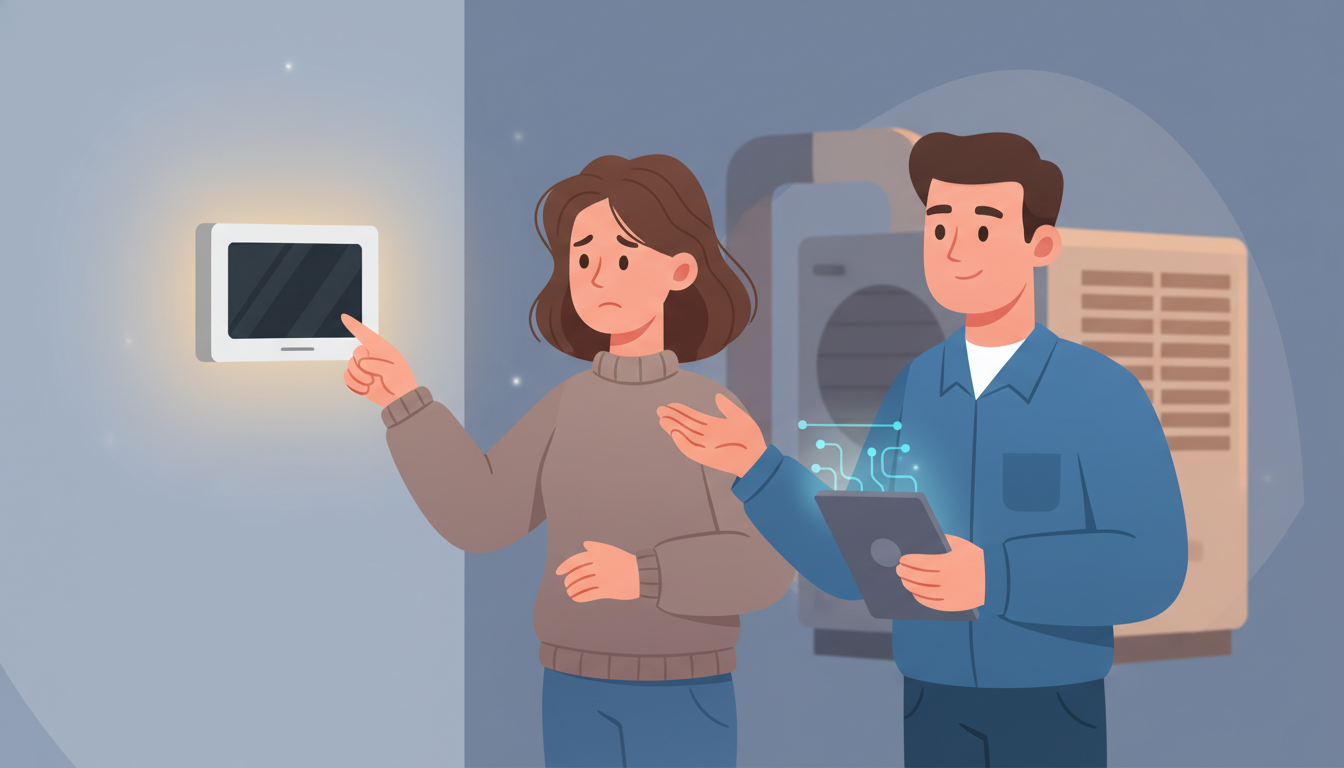
You wake up on a sweltering summer morning, and your house feels like an oven. You walk over to check your thermostat, only to find the screen completely blank. No display, no temperature reading, nothing. If you're wondering "why does my thermostat go blank," you're not alone—this is one of the most common HVAC problems homeowners face. The good news? Many blank thermostat issues have simple fixes you can do yourself.
In this guide, we'll walk you through the 15 most common reasons your thermostat screen went black, plus step-by-step troubleshooting tips to get your heating and cooling system back up and running.
Understanding Your Thermostat Type
Before diving into troubleshooting, it's important to know what type of thermostat you have. This affects both the likely causes and the solutions.
Battery-Powered Thermostats
Most older digital thermostats run entirely on batteries (usually AA or AAA). When the batteries die, the display goes completely blank. These are the simplest to fix.
Hardwired Thermostats
Hardwired thermostats get power directly from your HVAC system through low-voltage wiring. They may still have backup batteries, but their primary power source is your heating and cooling equipment.
Smart Thermostats
Smart thermostats like Nest, ecobee, and Honeywell Home models typically need a C-wire (common wire) for continuous power. Without proper power, these can go blank or display low battery warnings even though they don't use replaceable batteries.
15 Reasons Why Your Thermostat Display Is Blank
Let's explore every possible cause for a blank thermostat screen, starting with the most common and moving to more complex issues.
1. Dead or Low Batteries
The Problem: This is the number one reason for a blank thermostat display. When batteries run low, your digital thermostat simply shuts off.
The Fix:
- Open your thermostat's battery compartment (usually by pulling the unit off the wall plate)
- Remove the old batteries
- Install fresh batteries, making sure the positive and negative ends are correct
- Reattach the thermostat to the wall plate
Most thermostats will display a low battery warning before going completely blank, but if you missed it, dead batteries are likely your culprit.
2. Tripped Circuit Breaker
The Problem: If your thermostat is hardwired and the circuit breaker controlling your HVAC system trips, your thermostat loses power. Circuit breakers can trip due to power surges, electrical overload, or HVAC equipment issues.
The Fix:
- Go to your electrical panel (breaker box)
- Look for switches in the "off" or middle position
- Find the breaker labeled for your HVAC system, AC unit, or furnace
- Flip it fully to "off," then back to "on"
If the breaker trips again immediately, you have a more serious electrical issue that requires a professional HVAC technician.
3. No C-Wire Connection
The Problem: Smart thermostats need constant power to maintain WiFi connection, run their displays, and stay connected to your phone. Without a C-wire (common wire), they can't get enough power and will go blank or fail to function properly.
The Fix:
- Remove your thermostat from the wall plate
- Look at the wires connected to the terminals
- Check if there's a wire connected to the "C" terminal
- If not, you may need to install a C-wire or use a power adapter
Many smart thermostat manufacturers include C-wire adapters, or you can hire an HVAC professional to run a new wire. This is especially common in older homes where original thermostat wiring didn't include a common wire.
4. Loose or Damaged Wiring
The Problem: Over time, the low voltage wiring connecting your thermostat to your HVAC system can come loose, get damaged, or corrode. Even one loose connection can cause your thermostat screen to go black.
The Fix:
- Turn off power to your HVAC system at the breaker
- Remove your thermostat from the wall plate
- Inspect all wire connections—look for loose wires, corrosion, or frayed insulation
- Tighten any loose connections by securing the wires under their terminal screws
- Clean any corroded terminals with a pencil eraser
If you see damaged wires or aren't comfortable working with electrical connections, call a professional. When it comes to thermostat troubleshooting, safety comes first.
5. Blown Fuse in HVAC System
The Problem: Many HVAC systems have a low-voltage fuse that protects the control circuit (including your thermostat). A power surge, short circuit, or equipment malfunction can blow this fuse, cutting power to your thermostat.
The Fix:
- Locate your HVAC equipment (furnace or air handler)
- Look for a small fuse near the control board
- Remove and inspect the fuse—if the metal filament inside is broken, it's blown
- Replace with an identical fuse (same amperage rating)
If the new fuse blows immediately, there's an underlying electrical problem that needs professional diagnosis.
6. Safety Switch Activation
The Problem: Your HVAC system has built-in safety switches that shut down the system when problems occur. When these safety switches trip, they often cut power to the thermostat as well.
Common Safety Switches:
Condensate Safety Switch (AC Units): Air conditioners produce condensation that drains away through a condensate drain line. If this drain clogs, water backs up and triggers a float switch that shuts everything down.
Furnace Limit Switch: If your furnace overheats due to restricted airflow (often from a dirty air filter), the limit switch trips to prevent damage or fire hazards.
The Fix:
- Check your condensate drain pan for standing water
- Clear any clogs in the drain line (you can use a wet/dry vacuum)
- Replace your air filter if it's dirty or clogged
- Reset the safety switch (usually a small button or switch)
Once the underlying problem is fixed, your thermostat should power back on.
7. Recent Power Outage
The Problem: After a power outage, some thermostats don't automatically restart. Smart thermostats especially may need time to reboot, and older models might need manual resetting.
The Fix:
- Wait 5-10 minutes after power returns
- If still blank, flip the HVAC breaker off and on
- For battery-backup thermostats, remove and reinsert batteries
- Check if your thermostat has a reset button (usually a small recessed button)
Most thermostats will restore to their previous settings after a power cycle, but you may need to reprogram your schedule.
8. Faulty Thermostat
The Problem: Like any electronic device, thermostats can fail. Age, heat exposure, dust accumulation, or manufacturing defects can cause internal components to fail, resulting in a blank display even when power is available.
The Fix: If you've ruled out all power and wiring issues, your thermostat itself may be dead. Testing options include:
- Using a multimeter to check if the thermostat is receiving power (24 volts AC typically)
- Temporarily installing a different thermostat to see if it works
- Checking for visible damage like burnt components or cracked circuit boards
If your thermostat is more than 10 years old, replacement is often more cost-effective than repair. Consider upgrading to a programmable or smart thermostat for better energy efficiency.
9. Door or Panel Switch Issues
The Problem: Many furnaces have a safety switch connected to the access panel door. If the door isn't fully closed or the switch is faulty, it can cut power to the entire system, including your thermostat.
The Fix:
- Check that all furnace access panels are completely closed
- Look for a small switch that's pressed when the door closes
- Test the switch by pressing it manually
- Replace the switch if it's broken or stuck
This safety feature prevents the furnace from running when the access door is open, but a faulty switch can cause your thermostat to go blank unnecessarily.
10. HVAC System Lockout Mode
The Problem: Modern HVAC equipment has built-in protections that put the system into lockout mode after repeated short-cycling, error codes, or safety issues. During lockout, the system stops sending power to the thermostat.
The Fix:
- Check your furnace or air handler for blinking error lights
- Consult your HVAC equipment manual for error code meanings
- Try resetting the equipment by turning off power for 30 seconds
- Clear any obvious issues (dirty filter, closed vents, thermostat set too extreme)
Persistent lockout issues indicate a problem with your HVAC equipment that needs professional diagnosis.
11. Extreme Temperature Exposure
The Problem: Thermostats are electronic devices with temperature limits. If your thermostat is mounted in direct sunlight, near a heat source, or in an extremely cold location, it can malfunction or shut down to protect its components.
The Fix:
- Relocate your thermostat to an interior wall away from windows
- Keep it away from heating vents, appliances, or lamps
- Avoid locations with temperature extremes or high humidity
- Ensure proper clearance around the thermostat for accurate readings
Proper thermostat placement not only prevents blank screens but also ensures accurate temperature readings for better comfort and efficiency.
12. Firmware or Software Issues (Smart Thermostats)
The Problem: Smart thermostats run on software that occasionally needs updates. A failed firmware update, corrupted software, or connectivity issue can cause the display to go blank or freeze.
The Fix:
- Try a hard reset (hold down specific buttons or use the reset pinhole)
- Ensure your WiFi router is working and the thermostat can connect
- Check the manufacturer's app for firmware update options
- Factory reset the thermostat if necessary (you'll need to reconfigure it)
Nest, ecobee, and Honeywell all have specific reset procedures—check your model's support documentation.
13. Transformer Failure
The Problem: Your HVAC system uses a transformer to step down 120V household power to the 24V that powers your thermostat. If this transformer fails, your thermostat won't get power even if your circuit breaker is on.
The Fix:
- Locate the transformer (usually at your furnace or air handler)
- Use a multimeter to test the output—should read around 24 volts AC
- If the reading is significantly lower or zero, the transformer needs replacement
Transformer replacement requires electrical knowledge and should typically be done by an HVAC professional.
14. Compressor or Equipment Failure
The Problem: When major HVAC components fail (compressor, blower motor, control board), the system may shut down completely, cutting power to the thermostat in the process.
The Fix: This requires professional diagnosis and repair. Signs of equipment failure include:
- Strange noises from your HVAC equipment
- Burning smells
- Complete system non-response even with power
- Visible damage to equipment
Don't attempt to troubleshoot major component failures yourself—call an HVAC technician for a proper HVAC repair assessment.
15. Incorrect Thermostat Installation
The Problem: If your blank thermostat is newly installed, incorrect wiring is the most likely cause. Reversed wires, wrong terminal connections, or incompatible equipment can prevent proper power delivery.
The Fix:
- Double-check the wiring diagram that came with your thermostat
- Take a photo of the old thermostat's wiring before removal (for reference)
- Ensure each wire is connected to the correct terminal (R, C, W, Y, G, etc.)
- Verify your thermostat is compatible with your HVAC system type
If you're unsure about proper installation, it's worth having a professional verify the connections. Incorrect wiring can damage both your thermostat and your HVAC equipment.
Step-by-Step Troubleshooting Guide
Not sure where to start? Follow this systematic approach to diagnose your blank thermostat:
Step 1: Check the Batteries
- Replace with fresh batteries if your thermostat uses them
- Wait 30 seconds for the display to power on
Step 2: Verify Power to HVAC System
- Check your circuit breaker panel
- Ensure all HVAC breakers are in the "on" position
- Look for tripped breakers and reset them
Step 3: Inspect Thermostat Wiring
- Turn off HVAC power at the breaker
- Remove thermostat from wall plate
- Check for loose, damaged, or corroded wires
- Tighten connections and clean terminals
Step 4: Check HVAC Equipment
- Verify furnace door is fully closed
- Look for error lights or codes
- Replace air filter if dirty
- Clear any condensate drain clogs
Step 5: Test the Thermostat
- Try a hard reset if it's a smart thermostat
- Replace with a known working thermostat to test
- Look for visible damage to the display or circuit board
Step 6: Call a Professional If none of these steps restore power to your thermostat, it's time to call an HVAC technician. Some issues require specialized tools, knowledge, and parts.
When to Call a Professional HVAC Technician
While many blank thermostat issues are DIY-friendly, some situations require professional help:
- Electrical problems: If you smell burning, see sparks, or breakers keep tripping
- Equipment failure: When your HVAC system won't run even with a working thermostat
- Complex wiring: If you're not comfortable working with low-voltage wiring
- Repeated problems: When your thermostat keeps going blank despite fixes
- No obvious cause: When you've checked everything and can't find the issue
Professional HVAC technicians have the tools and training to diagnose complex problems quickly. They can test transformers, control boards, and other components that are difficult for homeowners to access.
Preventing Future Blank Thermostat Problems
Once you've fixed your blank thermostat display, take these steps to prevent future issues:
Regular Maintenance
- Replace batteries annually even if they still work—don't wait for them to die
- Change air filters every 1-3 months to prevent airflow restrictions
- Clean thermostat annually by removing dust with a soft brush or compressed air
- Schedule HVAC maintenance twice yearly (spring and fall) for professional system checks
Proper Installation
- Mount thermostats on interior walls away from heat sources and sunlight
- Ensure proper wire connections with no loose terminals
- Use wire labels when upgrading thermostats to avoid confusion
- Verify C-wire connection for smart thermostats before installation
Surge Protection
- Install a surge protector for your HVAC system
- Consider a whole-home surge protection device
- Unplug during severe thunderstorms if possible (for battery backup models)
Monitor Your System
- Pay attention to low battery warnings and replace batteries promptly
- Watch for unusual noises, smells, or performance issues
- Check thermostat display regularly to catch problems early
- Keep your condensate drain clear to prevent safety switch trips
Should You Replace or Repair Your Thermostat?
If your thermostat is old or repeatedly having issues, replacement might be more cost-effective than repair. Here's when to consider replacement:
Replace When:
- Your thermostat is more than 10-15 years old
- Repair costs approach or exceed $100-150
- You want better energy efficiency with a programmable model
- You're upgrading to a smart thermostat for convenience
- The display or buttons are permanently damaged
Repair When:
- It's a simple battery or wiring issue
- Your thermostat is relatively new (under 5 years)
- It's a high-end model worth repairing
- The issue is clearly power-related, not component failure
Modern thermostats are much more efficient than older models. Upgrading to a programmable or smart thermostat can save 10-23% on heating and cooling costs annually. When checking if it's time for thermostat replacement, consider both the repair cost and the potential energy savings.
Blank Thermostat FAQ
Why is my thermostat blank but the AC still works?
In rare cases, your HVAC system can continue running on its last setting even with a blank thermostat display. This happens when the equipment receives power but the thermostat's display circuit fails. However, you won't be able to adjust settings or control your system until the thermostat is fixed.
Can a blank thermostat damage my HVAC system?
A blank thermostat itself won't damage your HVAC system, but the underlying cause might. If your system is running without proper temperature control, it could short-cycle or run continuously, increasing wear and energy costs. Additionally, if a safety issue caused the blank display, ignoring it could lead to equipment damage.
How long do thermostat batteries last?
Most thermostat batteries last 6-12 months with normal use. However, extreme temperatures, frequent programming changes, and display brightness can affect battery life. Replace batteries at least once a year as preventive maintenance, ideally before the heating or cooling season begins.
Will a thermostat work without a C-wire?
Traditional battery-powered thermostats work fine without a C-wire. However, most smart thermostats require a C-wire for reliable operation. Some can work without one using "power stealing" methods, but this can cause intermittent blank screens, WiFi disconnections, and other issues. For reliable smart thermostat performance, a C-wire is strongly recommended.
How much does it cost to fix a blank thermostat?
Costs vary widely depending on the cause:
- Battery replacement: $5-10 (DIY)
- Professional diagnostic visit: $75-150
- New wiring installation: $150-300
- Thermostat replacement: $100-500+ (depending on model)
- HVAC component repair: $200-1,000+
Many issues can be fixed yourself for little or no cost, while others require professional help.
Conclusion: Get Your Thermostat Working Again
A blank thermostat screen is frustrating, but it's usually fixable with basic troubleshooting. Start with the simple solutions—replace batteries, check circuit breakers, and inspect wiring connections. Many homeowners can resolve blank thermostat issues in just a few minutes.
If you've worked through this troubleshooting guide and your thermostat display is still blank, it's time to call in the professionals. Don't let a malfunctioning thermostat leave you uncomfortable or waste energy. An experienced HVAC technician can quickly diagnose the problem and get your heating and cooling system back to normal.
Need professional help with your blank thermostat? Contact a qualified HVAC technician today for fast, reliable service. Your comfort is too important to leave to chance, and a working thermostat is essential for an efficient, comfortable home all year round.