
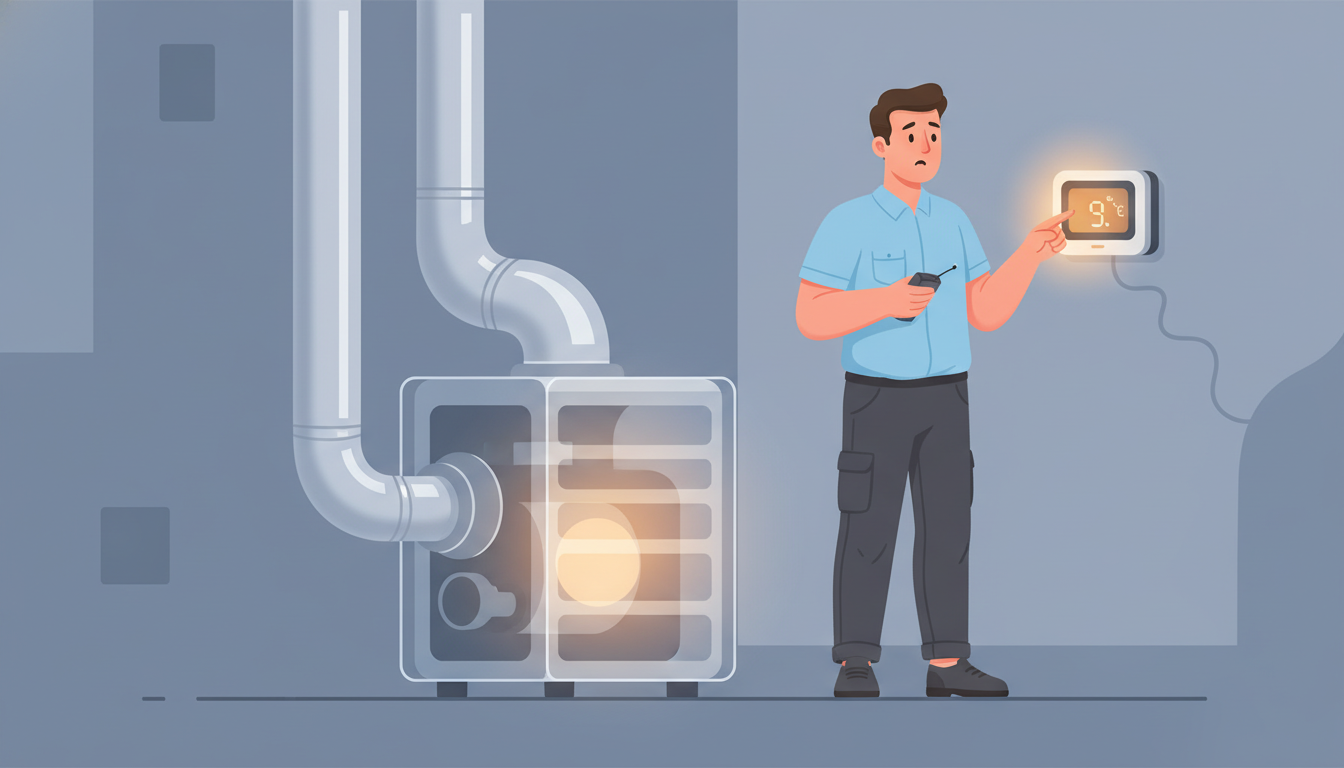
Why Is Your Thermostat Reading the Wrong Temperature? (Causes & Fixes)
Why Is Your Thermostat Reading the Wrong Temperature? (Causes & Fixes)
Is your thermostat showing 72°F while your home feels like a sauna—or an icebox? You're not alone. When your thermostat reads the wrong temperature, it can throw off your entire HVAC system, leaving you uncomfortable and paying higher energy bills. The good news? Most causes are fixable, and many don't even require a professional.
In this guide, we'll walk you through the most common reasons your thermostat displays incorrect temperatures, how to troubleshoot the issue yourself, and when it's time to call in an HVAC expert.
What Happens When Your Thermostat Reading Is Off?
Your thermostat is the brain of your heating and cooling system. It tells your furnace or air conditioner when to kick on and when to shut off based on the temperature it senses. When that reading is inaccurate—even by just a few degrees—your HVAC system can't do its job properly.
Here's what you might experience:
- Uncomfortable rooms: Some areas feel too hot or too cold, no matter what you set the thermostat to
- System short-cycling: Your heating or cooling turns on and off too frequently
- Higher energy bills: Your HVAC runs longer than necessary, wasting energy
- Uneven temperatures: Different rooms have wildly different temperatures
Now let's dig into why this happens and what you can do about it.
1. Poor Thermostat Placement (The #1 Culprit)
The most common reason for incorrect temperature readings is simply where your thermostat is installed. Your thermostat measures the temperature in its immediate area—not your entire home. If it's in the wrong spot, it'll give false readings all day long.
Problem Locations to Avoid:
- Near windows or exterior doors: Drafts and outdoor temperatures influence the sensor
- In direct sunlight: Even a few hours of sun can make the thermostat think it's 10-15 degrees warmer than it actually is
- Above heat sources: Installing above radiators, space heaters, or floor vents gives artificially high readings
- In the kitchen: Ovens and stoves create temperature spikes that confuse the sensor
- In hallways with poor airflow: Dead zones don't represent your home's actual temperature
- On exterior walls: These walls are often colder or warmer than interior walls
The Fix:
Ideally, your thermostat should be on an interior wall in a frequently used room, about 5 feet off the ground, away from direct sunlight and heat sources. If your thermostat is in a bad location, you may need to relocate it—this typically requires an HVAC professional to reroute wiring safely.
For a temporary fix, you can adjust your thermostat's temperature settings to compensate for the poor placement, though this isn't ideal for long-term comfort.
2. Dust and Dirt Buildup Inside the Thermostat
Over time, dust and debris can accumulate inside your thermostat, especially on older mechanical models or even inside digital units. This buildup can coat the temperature sensor and interfere with accurate readings.
Signs Your Thermostat Needs Cleaning:
- Temperature readings fluctuate randomly
- The display looks dim or dirty
- You haven't cleaned it in over a year
- You notice dust around the edges or vents
The Fix:
For mechanical thermostats:
- Turn off power to your HVAC system at the breaker
- Remove the thermostat cover (usually just pulls off)
- Use a soft brush or compressed air to gently clean the interior components
- Pay special attention to the coiled bimetallic strip or sensor area
- Replace the cover and restore power
For digital thermostats:
- Turn off power at the breaker
- Remove the faceplate (check your manual for specific instructions)
- Use compressed air to blow out dust—avoid touching electronic components
- Wipe the exterior with a slightly damp cloth
- Reassemble and restore power
Regular cleaning every 6-12 months can prevent dust-related inaccuracies and extend your thermostat's lifespan.
3. Your Thermostat Needs Calibration
Even high-quality thermostats can drift out of calibration over time. This means the temperature it displays doesn't match the actual air temperature in your home. A thermostat that's off by 3-5 degrees can significantly impact your comfort and energy costs.
How to Test Your Thermostat's Accuracy:
- Tape a reliable room thermometer to the wall a few inches away from your thermostat
- Wait 15-20 minutes for both to stabilize
- Compare the readings
- If they differ by more than 1-2 degrees, your thermostat likely needs calibration
The Fix:
For older mechanical thermostats: Some models have a calibration screw or dial inside. Check your owner's manual for instructions—usually, you'll make small adjustments while monitoring with your reference thermometer.
For digital and smart thermostats: Many modern thermostats have a calibration setting in their menu:
- Navigate to settings or advanced settings
- Look for "calibration," "temperature offset," or "sensor adjustment"
- Enter the correction value (if your thermostat reads 3 degrees high, enter -3)
If your thermostat doesn't have a calibration feature or the problem persists after adjustment, it may be time for a replacement.
4. Faulty or Aging Temperature Sensor
The temperature sensor is the component that actually measures the air temperature. If this sensor fails or degrades, your thermostat will give inaccurate readings no matter what else you do.
Signs of Sensor Failure:
- Temperature readings are wildly inconsistent
- Your system doesn't respond to temperature changes
- The thermostat shows error codes or unusual displays
- Calibration doesn't improve accuracy
The Fix:
Unfortunately, a failed temperature sensor usually means you need a new thermostat. While some models allow sensor replacement, it's often more cost-effective to upgrade to a newer, more efficient model—especially if your current thermostat is over 10 years old.
If you have a thermostat that's not working at all, the sensor could be completely dead.
5. Leveling Issues (Mercury Thermostats)
If you have an older mercury-based thermostat, it must be perfectly level to work correctly. These thermostats use a small vial of mercury that tilts to make electrical contact. If the thermostat shifts even slightly, the mercury can't flow properly, leading to inaccurate temperature readings.
The Fix:
- Use a small level to check if your thermostat is straight
- If it's tilted, loosen the mounting screws slightly
- Adjust until level (use the level to verify)
- Tighten the screws carefully while maintaining the level position
Important: Mercury thermostats are outdated and less efficient than modern options. If you're troubleshooting a mercury thermostat, consider upgrading to a digital or programmable model for better accuracy and energy savings.
6. Loose or Corroded Wiring Connections
Electrical connections don't last forever. Over time, wires can become loose, corroded, or damaged, disrupting communication between your thermostat and HVAC system. This can cause erratic temperature readings or system malfunctions.
Signs of Wiring Problems:
- Your thermostat display is dim or flickering
- The system doesn't respond to thermostat adjustments
- You notice burn marks or discoloration around wire terminals
- Temperature readings are sporadic
The Fix:
Warning: Working with thermostat wiring involves electrical components. If you're not comfortable with this, call a professional.
If you do want to inspect the wiring:
- Turn off power at the breaker
- Remove the thermostat faceplate
- Check that all wire connections are tight and secure
- Look for signs of corrosion (greenish buildup) or frayed wires
- If you find corrosion, carefully clean the terminals with fine sandpaper
- Reconnect any loose wires to their proper terminals
- Restore power and test
For extensive wiring damage, you'll need an HVAC technician to rewire or replace components safely. Proper wiring is crucial—not just for accuracy, but for the safety of your entire HVAC system.
7. Dead or Low Batteries
It seems obvious, but low batteries are a surprisingly common cause of inaccurate thermostat readings. As batteries drain, the thermostat's internal components can't function properly, leading to incorrect temperature displays or complete failure.
Signs Your Batteries Are Low:
- A low battery indicator on the display
- Dim or fading screen
- Thermostat shuts off intermittently
- Settings reset randomly
The Fix:
Replace the batteries with fresh ones—most thermostats use AA or AAA batteries. It's good practice to replace thermostat batteries once a year, ideally when you change your smoke detector batteries.
Pro tip: Some thermostats are hardwired and don't use batteries, but many hardwired models have backup batteries that need replacement. Check your manual to be sure.
8. Thermostat Is Too Old
Like any electronic device, thermostats have a lifespan. Most thermostats last 10-15 years, but their accuracy can decline well before they completely fail. Older components simply wear out, leading to temperature drift and sensor problems.
Signs Your Thermostat Is Past Its Prime:
- It's over 10 years old
- You've tried other fixes without success
- The display is faded or unresponsive
- It's a basic mechanical model with no programmable features
The Fix:
Upgrading to a modern programmable or smart thermostat offers several benefits:
- More accurate temperature sensing
- Energy-saving features and scheduling
- Remote control via smartphone apps
- Learning capabilities that adapt to your habits
- Better compatibility with modern HVAC systems
The investment typically pays for itself through reduced energy bills within 1-2 years.
9. Interference from Nearby Heat Sources
Even if your thermostat isn't directly in sunlight, nearby heat-generating objects can throw off its readings. This is especially common in older homes where thermostats were installed without considering modern appliances and electronics.
Common Heat Source Culprits:
- Television sets or computer monitors nearby
- Lamps with incandescent bulbs (which produce significant heat)
- Gaming consoles or cable boxes
- Coffee makers or other small appliances
- Heat registers in the same room
The Fix:
Move heat-generating items away from the thermostat if possible. If you can't rearrange your space, consider relocating the thermostat to a more neutral location. Even moving it to the opposite wall in the same room can make a difference.
10. HVAC System Problems (Not the Thermostat)
Sometimes, the thermostat itself is fine—the problem lies with your heating or cooling system. If your HVAC system has airflow issues, refrigerant problems, or a malfunctioning component, it won't heat or cool properly no matter what your thermostat says.
Common HVAC Issues That Mimic Thermostat Problems:
- Dirty air filters: Restricted airflow prevents proper temperature distribution
- Ductwork leaks: Conditioned air escapes before reaching living spaces
- Low refrigerant: Your AC can't cool efficiently
- Failing blower motor: Air isn't circulated properly
- Zone damper problems: Multi-zone systems can't regulate individual areas
The Fix:
Start with simple maintenance:
- Replace your air filter (check it monthly, replace every 1-3 months)
- Ensure all vents and registers are open and unobstructed
- Check that your outdoor AC unit is clean and free of debris
If basic maintenance doesn't resolve the issue, schedule a professional HVAC inspection. A technician can diagnose system problems that go beyond thermostat issues.
How to Troubleshoot Your Thermostat: Step-by-Step
Not sure where to start? Follow this troubleshooting checklist:
- Check the obvious: Replace batteries, clean the thermostat exterior
- Test accuracy: Use a separate thermometer to compare readings
- Inspect location: Is it in direct sunlight, near a vent, or on an exterior wall?
- Check for level: If it's a mercury thermostat, verify it's perfectly level
- Clean the interior: Turn off power and carefully clean inside components
- Examine wiring: Look for loose connections or corrosion (power off first)
- Try calibration: Adjust the temperature offset if your model allows it
- Replace air filters: Ensure your HVAC system has proper airflow
- Consider age: If your thermostat is over 10 years old, replacement may be the best solution
When to Call a Professional HVAC Technician
While many thermostat issues are DIY-friendly, some situations require professional expertise:
- Wiring problems: If you're uncomfortable working with electrical connections
- Persistent inaccuracy: You've tried troubleshooting but readings are still wrong
- No power to thermostat: Could indicate a blown transformer or wiring issue
- Relocation needed: Moving a thermostat involves running new wires through walls
- HVAC system problems: If the issue is with your furnace or AC, not the thermostat
- Smart thermostat installation: Professional installation ensures compatibility and proper setup
A qualified HVAC technician can diagnose the root cause quickly and recommend whether repair or replacement makes the most sense for your situation.
Preventing Future Thermostat Problems
Once you've fixed your thermostat, keep it accurate with these maintenance tips:
- Clean regularly: Dust and clean your thermostat every 6-12 months
- Replace batteries annually: Don't wait for the low battery warning
- Keep the area clear: Don't place furniture, curtains, or decorations that block airflow around the thermostat
- Update your system: Consider upgrading to a smart or programmable thermostat for better accuracy
- Schedule HVAC maintenance: Annual tune-ups keep your entire system running efficiently
- Monitor performance: Pay attention to how your system responds—early detection prevents bigger problems
Frequently Asked Questions
How do I know if my thermostat is reading the correct temperature?
Place a reliable room thermometer a few inches away from your thermostat. Wait 15-20 minutes for both to stabilize, then compare the readings. If they differ by more than 1-2 degrees, your thermostat needs calibration or replacement.
Can I fix a thermostat that reads the wrong temperature myself?
Many fixes are DIY-friendly, including replacing batteries, cleaning, adjusting for level, and calibration. However, wiring issues or thermostat relocation should be handled by a professional to ensure safety and proper function.
Why does my thermostat read higher than the actual temperature?
This usually happens when the thermostat is in direct sunlight, near a heat source (like a lamp or appliance), or on an exterior wall that absorbs heat. Dust buildup on the sensor can also cause artificially high readings.
How often should I replace my thermostat?
Most thermostats last 10-15 years. However, if your current thermostat is more than 10 years old or you're experiencing recurring accuracy problems, upgrading to a newer model will improve comfort and energy efficiency.
Will a smart thermostat solve my temperature reading problems?
If your old thermostat has a failing sensor or outdated components, yes—a new smart thermostat will be more accurate. However, if the problem is poor placement, dust buildup, or HVAC system issues, those underlying problems must be addressed regardless of thermostat type.
Final Thoughts: Get Your Comfort Back on Track
A thermostat reading the wrong temperature is more than just annoying—it affects your comfort, your energy bills, and the lifespan of your HVAC system. The good news is that most causes are straightforward to diagnose and fix.
Start with the simple solutions: check the placement, clean the unit, replace the batteries, and test the calibration. If you've tried these steps and your thermostat still displays incorrect temperatures, it may be time for an upgrade or professional inspection.
Don't let an inaccurate thermostat control your comfort. Take action today, and you'll be enjoying consistent, reliable temperatures in no time—while saving money on your energy bills in the process.
Need help diagnosing or fixing your thermostat issue? Our HVAC experts at QuickHVACFix.online are here to help. We can diagnose the problem, recommend the best solution, and get your system running accurately again.