Why Does My Heat Pump Thermostat Setting Feel Confusing?
Why Does My Heat Pump Thermostat Setting Feel Confusing?
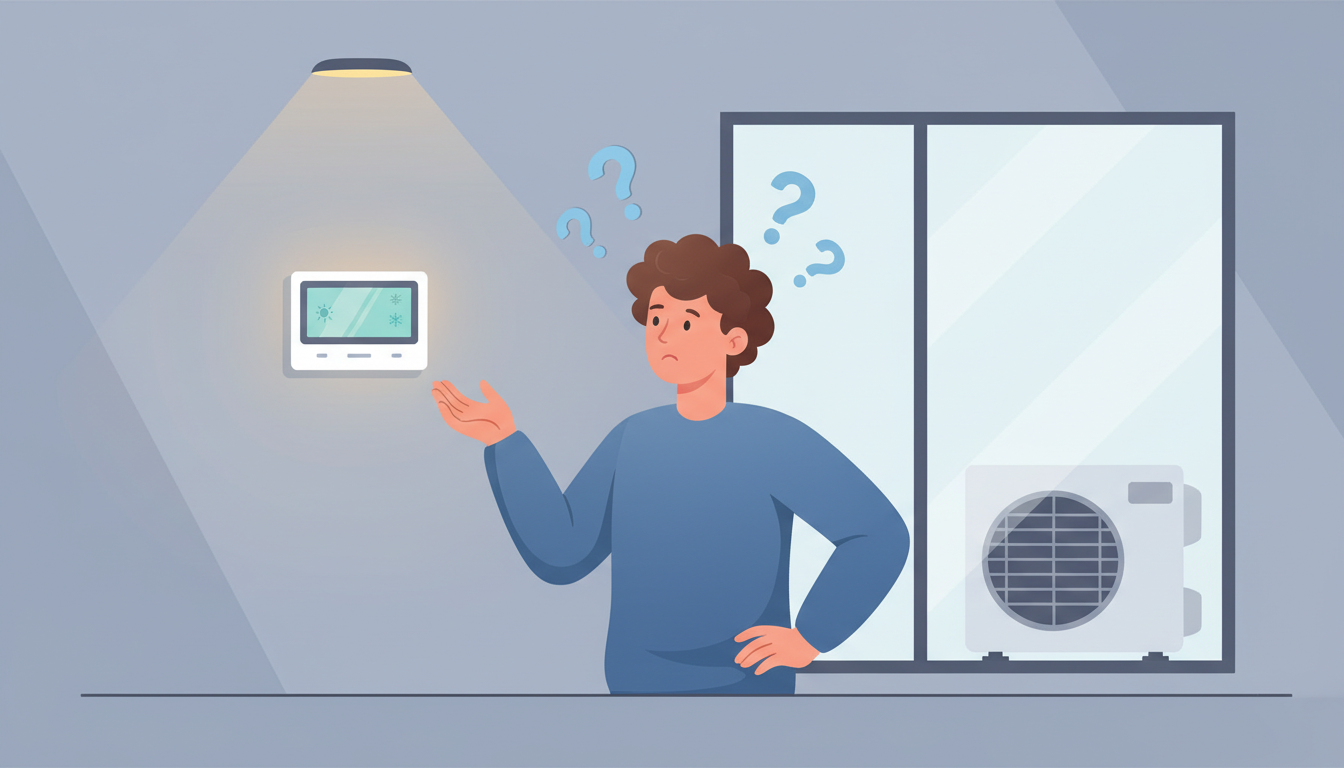
You're standing in front of your thermostat, staring at symbols you don't recognize, wondering why the temperature says 72° but your home feels like 68°. You see "AUX" flashing on the screen and you're not sure if that's normal or a cry for help.
You're not alone. Heat pump thermostats confuse thousands of homeowners every day, and there's a good reason why.
Why Heat Pump Thermostats Feel More Confusing Than Regular Thermostats
Heat pump thermostats aren't confusing because you're doing something wrong. They're confusing because they work completely differently from the furnace thermostat you might be used to.
Traditional furnaces blast hot air until your home reaches the set temperature, then they shut off. It's simple, predictable, and fast. Heat pumps operate on an entirely different logic that can feel counterintuitive at first.
Heat pumps move heat rather than create it. They run longer cycles at lower intensities. They have backup heating systems that kick in under certain conditions. And they require a different approach to temperature control and maintenance than conventional heating systems.
The learning curve is real, but once you understand what's happening behind the scenes, your thermostat will make perfect sense.
The Mental Model Mismatch: Unlearning Your Furnace Habits
If you've switched from a furnace to a heat pump, your brain is working against you. You've built years of muscle memory and expectations around how heating "should" work.
Why Cranking Up the Temperature Doesn't Help
With a furnace, turning the thermostat way up seemed to heat your home faster. It didn't actually work that way, but it felt like it did. With a heat pump, this habit actively works against you.
When you make a large temperature jump (usually 3 degrees or more), most heat pump thermostats automatically switch to auxiliary heat or emergency heat. This is electric resistance heating that costs 2-3 times more to run than your heat pump's normal operation.
Your heat pump doesn't heat faster when you turn it up higher. It just switches to a more expensive backup system.
The "Patience Problem" with Heat Pump Cycles
Heat pumps take longer to reach your desired temperature, and that's by design. They're optimized for steady, efficient operation rather than rapid temperature swings.
A furnace might raise your home temperature by 5 degrees in 20 minutes. A heat pump might take 45 minutes to do the same job, but it uses significantly less energy in the process.
This slower pace feels wrong if you're expecting furnace-speed heating. But it's not a problem with your system—it's how heat pumps are designed to work.
Decoding Your Thermostat Display: What Those Symbols Actually Mean
Your thermostat's display might as well be written in ancient hieroglyphics. Let's translate the most common symbols and indicators that cause confusion.
Heating and Cooling Mode Icons
- Flame icon: Heating mode is active
- Snowflake icon: Cooling mode is active
- Fan icon: Fan-only mode (no heating or cooling)
- AUTO: System automatically switches between heating and cooling based on indoor temperature
Most confusion happens during seasonal transitions. If your thermostat is in cooling mode but you're trying to heat your home, nothing will happen. Make sure you're in the correct mode for the season.
The Mysterious "AUX" and "EM HEAT" Indicators
"AUX" (Auxiliary Heat): This is your backup electric heat. It's normal for AUX heat to kick in occasionally during very cold weather or when your home needs to heat up quickly. The system automatically manages this.
"EM HEAT" (Emergency Heat): This bypasses your heat pump entirely and runs only on backup heat. You should only manually activate this mode if your heat pump has failed and you need heat while waiting for repairs.
Here's the key difference: AUX heat works with your heat pump. Emergency heat works instead of your heat pump.
Temperature Differential: Why the Number Doesn't Match How You Feel
Your thermostat measures temperature at one specific location—usually on a wall in a hallway. That spot might be 72°, but your living room could be 68° due to:
- Distance from the thermostat
- Sunlight exposure
- Air circulation patterns
- Ceiling height differences
- Insulation variations
With ductless mini-split heat pumps, the temperature sensor is inside the wall unit itself, where air temperatures can differ significantly from the ambient room temperature.
This isn't a thermostat malfunction. It's a reminder that one sensor can't perfectly measure comfort throughout your entire home.
Understanding Heat Pump Thermostat Settings That Matter Most
Your thermostat has more settings than you'll ever use. Let's focus on the ones that actually impact your comfort and energy bills.
Optimal Temperature Settings for Heat Pumps
For winter heating, set your thermostat between 68-70°F when you're home. This range balances comfort with energy efficiency for heat pump operation.
For summer cooling, aim for 78°F. Every degree you lower the temperature increases your energy consumption by approximately 3-5%.
The most important rule: avoid large temperature swings. Small adjustments (1-2 degrees) allow your heat pump to operate efficiently. Large jumps trigger auxiliary heat and drive up costs.
Fan Settings: AUTO vs ON
- AUTO: The fan runs only when actively heating or cooling. This is the recommended setting for most heat pump systems.
- ON: The fan runs continuously, even when not heating or cooling.
Continuous fan operation can help distribute air more evenly throughout your home, but it increases energy consumption and can make your home feel cooler in winter (air movement increases perceived cooling).
For most homeowners, AUTO mode provides the best balance of comfort and efficiency.
Programming Schedules Without Triggering Auxiliary Heat
If you have a programmable thermostat, you can save energy with scheduled setbacks—but you need to be strategic to avoid triggering expensive auxiliary heat.
The safe approach: Set nighttime temperatures only 2-3 degrees lower than your daytime setting. A setback from 70°F to 67-68°F at night saves energy without forcing your system into backup heat mode in the morning.
The expensive mistake: Setting a large nighttime setback (like 70°F down to 62°F) feels like it should save more energy. But when your thermostat tries to recover that 8-degree difference in the morning, it immediately switches to auxiliary heat, potentially costing more than you saved overnight.
Common Heat Pump Thermostat Problems vs. Normal Operation
Half the confusion around heat pump thermostats comes from not knowing what's normal behavior versus what indicates a real problem.
When "It's Not Heating Fast Enough" Is Actually Normal
Normal: Your heat pump takes 30-60 minutes to raise your home temperature by 3-5 degrees during moderate weather.
Problem: Your heat pump runs constantly for 2+ hours with no temperature change at all, or your home is losing heat faster than the system can keep up.
If your heat pump runs for extended periods in winter, that's often normal operation. Heat pumps are designed to run longer cycles rather than the on/off cycling you'd see with a furnace.
When to Worry About Auxiliary Heat Usage
Normal: AUX heat activates for 10-20 minutes during recovery from a setback, or during extremely cold weather (below 35-40°F depending on your system).
Problem: AUX heat runs constantly for hours at a time during moderate weather, or your thermostat goes straight to AUX every time you adjust the temperature by even 1 degree.
Frequent auxiliary heat usage suggests either incorrect thermostat settings or a heat pump performance issue that needs professional attention.
Why Your Thermostat Shows One Temperature But Your Room Feels Different
Normal: A 2-3 degree difference between what your thermostat displays and how different rooms feel, due to natural variations in airflow, insulation, and distance from the heat source.
Problem: A 5+ degree difference, or rooms that never reach comfortable temperatures regardless of how long the system runs.
Significant temperature differences often point to airflow issues, duct problems, or refrigerant charge issues rather than thermostat problems.
5 Quick Checks to Fix Heat Pump Thermostat Confusion Right Now
If you're frustrated with your heat pump thermostat today, here are five things you can check immediately that solve most common issues.
1. Verify You're in the Correct Mode
Check that your thermostat is set to HEAT mode (not COOL or OFF). During seasonal transitions, it's easy to forget to switch modes. If you're in cooling mode, your system won't heat no matter what temperature you set.
2. Check Your Fan Setting
Make sure your fan is set to AUTO rather than ON. Continuous fan operation can make your home feel cooler and may contribute to the sensation that your heat pump isn't working properly.
3. Look at Your Temperature Differential Setting
Many heat pumps have a "differential" or "swing" setting that determines how much the temperature must drop before heating starts. If this is set too wide (like 3-4 degrees), your home temperature will swing significantly before the system responds.
A differential of 1-1.5 degrees works best for consistent comfort.
4. Disable Emergency Heat Mode
Check if your thermostat accidentally got switched to Emergency Heat mode (EM HEAT). This can happen if someone pushed the wrong button. Emergency heat should only be used during heat pump failures.
If EM HEAT is on and your heat pump is functioning normally, switch back to regular HEAT mode immediately. Running emergency heat unnecessarily can double or triple your heating costs.
5. Change Your Air Filter
A clogged air filter restricts airflow, which makes your heat pump work harder and can confuse your thermostat's temperature readings. Check your filter and replace it if it's dirty or hasn't been changed in 2-3 months.
This single step solves more "thermostat problems" than you might expect.
Choosing the Right Thermostat for Your Heat Pump
Not all thermostats work properly with heat pumps. If you're experiencing persistent confusion or problems, you might simply have the wrong thermostat for your system.
Must-Have Features for Heat Pump Thermostats
A proper heat pump thermostat must include:
- Auxiliary heat control: Ability to manage when backup heat engages
- Heat pump compatibility: Explicitly stated in the specifications
- Gentle recovery: Slow temperature recovery that minimizes auxiliary heat usage
- Separate heating and cooling setpoints: Prevents the system from fighting itself during mild weather
Basic thermostats designed for furnaces and air conditioners won't properly control these features, leading to inefficient operation and confusion.
Smart Thermostats vs. Programmable Thermostats for Heat Pumps
Programmable thermostats let you set schedules but require you to understand optimal programming strategies to avoid triggering auxiliary heat.
Smart thermostats like Nest, Ecobee, and Honeywell Home learn your patterns and automatically optimize recovery times to minimize auxiliary heat usage. They're more expensive upfront but can save 10-20% on heating costs through better system management.
For heat pump owners, a quality smart thermostat is often worth the investment because it handles the complexity you'd otherwise need to manage manually.
Seasonal Thermostat Strategies for Heat Pump Owners
Your thermostat strategy should change with the seasons. Here's how to optimize your settings throughout the year.
Winter Heating Strategy
Set your thermostat to 68-70°F during waking hours and lower it by only 2-3 degrees at night or when away. Resist the urge to make large adjustments, even when it feels cold.
If your home feels uncomfortable at 70°F, adding a space heater to the specific room you're in often costs less than raising your whole-house temperature and triggering auxiliary heat.
Summer Cooling Strategy
Set your thermostat to 78°F when home and 82-85°F when away for extended periods. Heat pumps cool efficiently, but every degree below 78°F significantly increases energy consumption.
Use ceiling fans to create air circulation, which can make 78°F feel like 75°F without additional energy cost.
Shoulder Season Adjustments
Spring and fall create the most thermostat confusion because outdoor temperatures swing dramatically from day to night.
Consider switching to AUTO mode during shoulder seasons. This allows your heat pump to automatically switch between heating and cooling based on indoor temperature, eliminating the need to manually change modes every few days.
Frequently Asked Questions About Heat Pump Thermostats
How Do I Set My Heat Pump Thermostat in Winter?
Set your heat pump thermostat to 68-70°F in winter when you're home. If you want to save energy overnight, lower it by only 2-3 degrees. Avoid large temperature adjustments that trigger auxiliary heat, which is far more expensive to operate.
Is AUX Heat Bad for My Heat Pump?
Auxiliary heat isn't bad for your heat pump—it's designed to work together with it during cold weather or recovery periods. What's problematic is excessive AUX heat usage, which indicates either incorrect settings or a system performance issue. Occasional AUX heat activation is completely normal and expected.
Why Won't My Heat Pump Reach My Set Temperature?
If your heat pump won't reach the set temperature, check for: dirty air filters restricting airflow, outdoor temperatures below your heat pump's effective range (usually 25-35°F), refrigerant levels that need professional service, or thermostat placement issues where the sensor location doesn't reflect your actual living space temperature.
What Temperature Should I Set My Heat Pump Thermostat?
Set your heat pump to 68-70°F for heating and 78°F for cooling. These temperatures provide comfortable conditions while allowing your heat pump to operate in its most efficient range. Small adjustments (1-2 degrees) are fine, but avoid large temperature swings.
Should I Use AUTO or ON Fan Setting with My Heat Pump?
Use AUTO fan setting with your heat pump. This setting runs the fan only during active heating or cooling cycles, which is more energy-efficient and prevents overcooling in winter. The ON setting runs the fan continuously, which can increase energy costs by 10-15% and may reduce comfort.
Take Control of Your Heat Pump Thermostat Today
Heat pump thermostats feel confusing because they operate on completely different logic than traditional furnace systems. But confusion doesn't mean malfunction.
Now you understand why your heat pump takes longer to heat, what those mysterious symbols mean, and how to avoid the expensive auxiliary heat trap that catches most new heat pump owners.
The key principles: make small temperature adjustments, give your system time to work, and trust that longer run times are normal and efficient.
If you're still experiencing issues after checking these settings, it's time to call a professional HVAC technician. Sometimes the confusion stems from incorrect initial setup, thermostat compatibility issues, or underlying heat pump performance problems that require expert diagnosis.
Your heat pump thermostat doesn't have to be a source of daily frustration. With the right understanding and settings, it becomes a powerful tool for comfortable, efficient home climate control all year long.